

All features
Business management software for shops and service businesses
Most small businesses run on a till, a spreadsheet, a separate booking app and a website nobody has time to update. SaleFlowPoint puts them in one account. A sale at the till takes the item out of stock and, with Accounting on, posts to your ledger. A product you mark for the website appears there with its price. You enter things once.
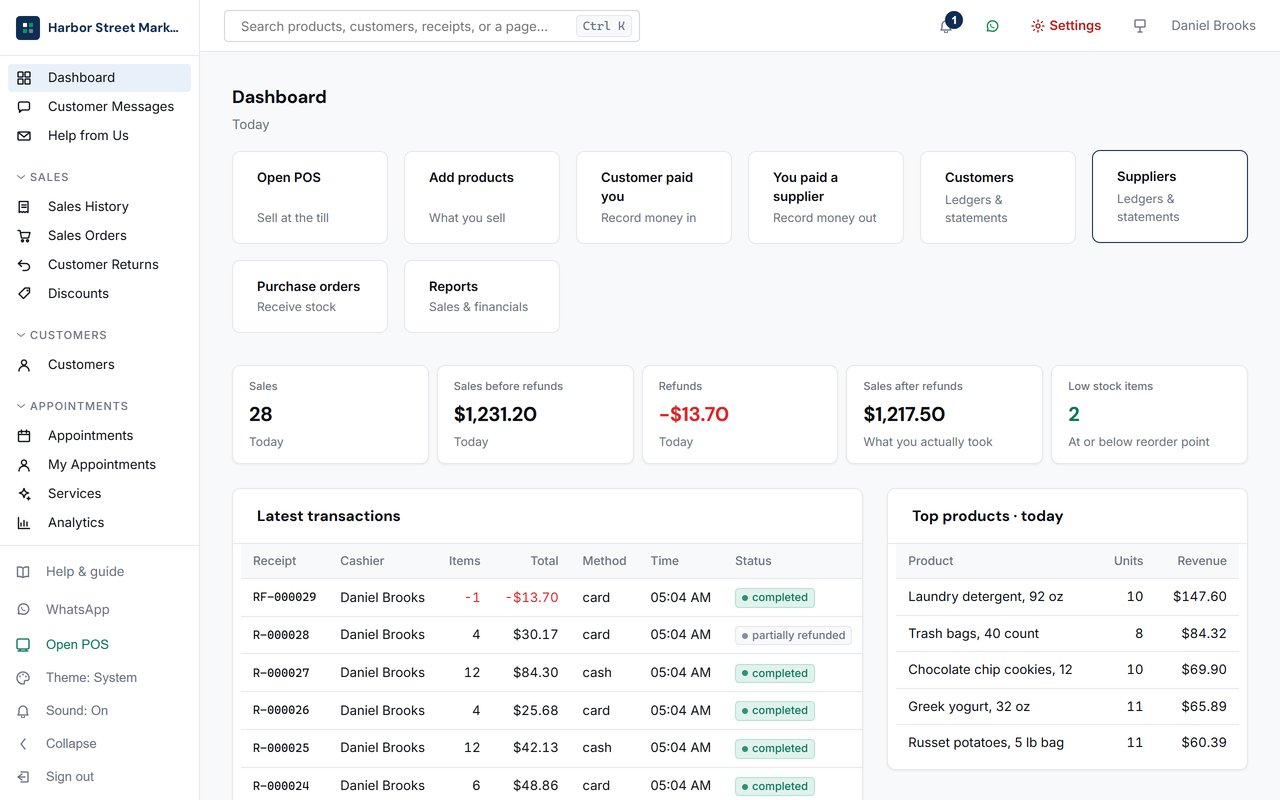
What one account covers
Point of sale
Sell by touchscreen, barcode scanner or keyboard, take split payments, and keep selling for cash when the internet drops.
More about the POS softwareInventory
See stock per branch, move it between branches, and trace every change in a movement history.
More about inventory managementAccounting
A double-entry ledger built from your sales, purchases and payments, with profit and loss, balance sheet and cash flow.
More about the accountingAppointments
Customers pick a service and a free time online. Staff work from a shared calendar, and reminders go out by email.
More about appointment schedulingWebsite
Build a business website without code: colours, fonts, sections, opening hours and a map.
More about the website builderOnline catalogue
Show your products online with prices, photos, search and filters. Customers contact you to buy.
More about the online catalogueYour own domain
On a paid plan, show your website at an address such as www.yourshop.com.
More about your own domainAn AI assistant answers customers on your WhatsApp Business number with your real products, prices and free times, or API mode sends messages to your own system.
More about WhatsApp chatbot and APIMore that comes with it
- Buying: suppliers and statements, purchase orders received in parts, supplier invoices, payments and returns.
- Customer accounts: balances, statements, receiving payments against invoices, and post-dated cheques.
- Wholesale: sales orders that reserve stock, deliveries in parts, delivery notes and invoices for what was delivered.
- Expenses: approval limits, recurring expenses, and monthly budgets by category and branch.
- Reports: about 30 reports, each exportable to CSV or Excel.
- Customer chat: shoppers message you from your website and you reply from one inbox.
- Staff control: built-in roles for manager, cashier, accountant and stock keeper, or your own custom roles, with sales, stock and reports limited by branch. Customer and supplier balances cover the whole company.
Who it suits
Retail shops and boutiques use variants, barcodes, returns and a website. Pharmacies use batch and expiry tracking and supplier returns. Grocery stores use fast scanning, reorder points and slow-moving stock reports. Cafes and restaurants use quick tills, held carts and shift cash-up. There is no table plan or kitchen screen, so it suits counter service best. Clinics, salons and repair shops use services, staff calendars and online booking. For clinics this is scheduling only, not patient records. Wholesalers use sales orders, price lists and credit limits.
Turn on only what you need
Selling, products, stock, customers, suppliers and users are always on. Accounting, wholesale and other options are switched on in Settings, so a one-person shop does not face a screen full of modules it will never use. Your plan decides which modules are included. See pricing.
Questions
Is this one product or several?
One. Everything is in the same account, under one sign-in, with one set of products and customers.
Can I start with just the till?
Yes. Start selling, and switch on other modules when you need them, as your plan allows.
What do I need to run it?
A computer, tablet or phone with a modern browser. It runs on the web, so there is nothing to install, although the till can be installed as an app for offline selling.
Can I run several branches?
Yes. Stock, staff and sales are kept per branch, and the number of branches depends on your plan.
How do I learn it?
Read the user guide or watch the walkthrough on our YouTube channel.
Learn more
Guides, videos and examples
Run your business from one account
No card is required to register. Every company starts in review and goes live on approval.