

Features / Appointment scheduling
Appointments
Appointment scheduling software for businesses that book by the hour
Phone calls during a treatment, double bookings and customers who forget. Appointment booking software exists to end those three problems. With SaleFlowPoint, customers book themselves online at any hour, your staff see one calendar, and reminders go out without anyone remembering to send them.
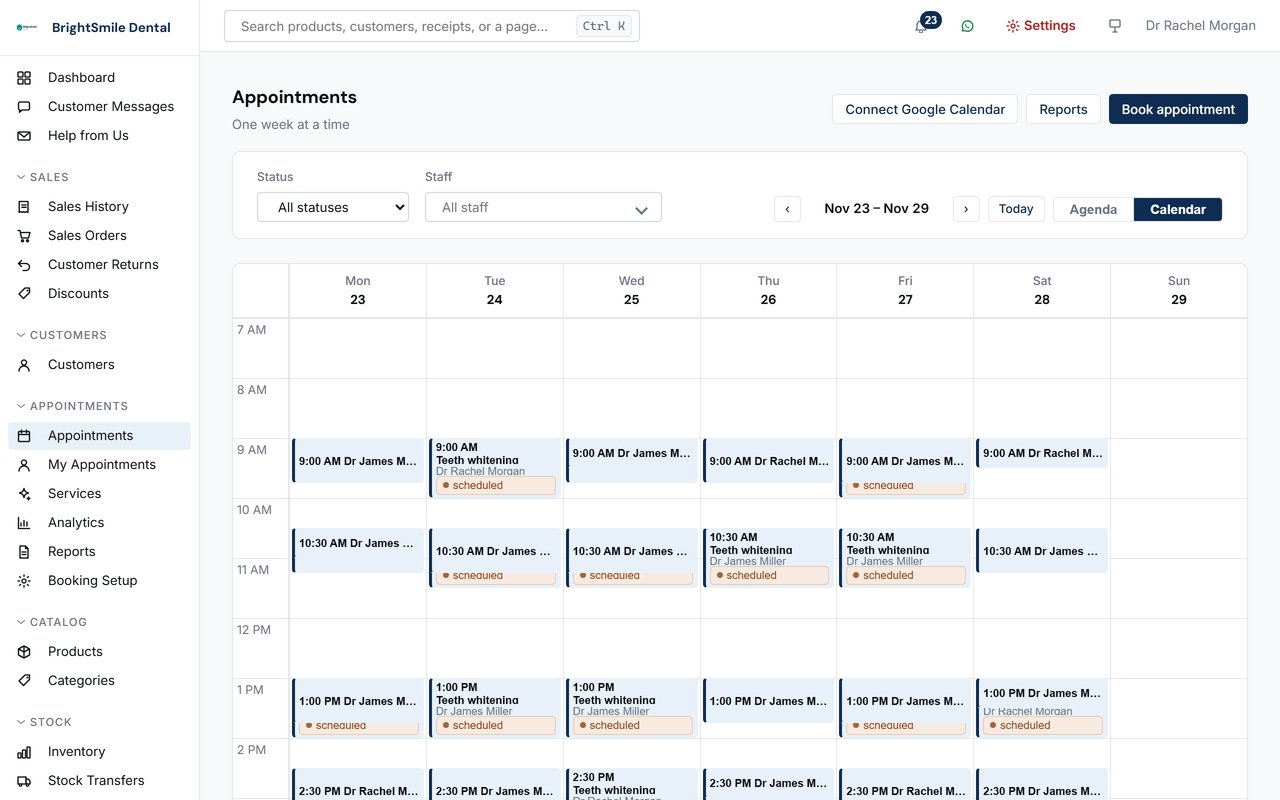
Watch it working
Online booking your customers can finish in a minute
Each business gets a public booking page. A customer picks a service, chooses a day and sees only the times that are really free, then enters a name and email address. They do not need an account. Bookings can be made up to 60 days ahead. A link in the email lets them confirm, reschedule or cancel without calling you.
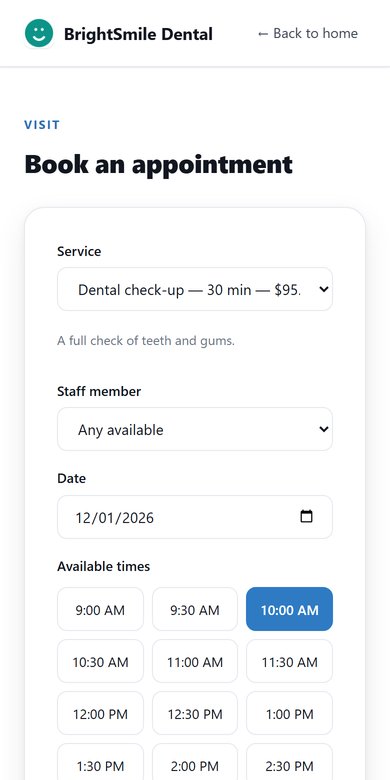
How it works
- Add your services. Give each one a price, a length and, if you need it, buffer time before the next booking.
- Set working hours. Add each staff member's availability.
- Share your booking page. Link to it from your website, social media or messages.
- Run the day from the calendar. Bookings appear in calendar and agenda views, assigned to staff. The system will not double-book a person.
Reminders that go out by themselves
SaleFlowPoint emails customers 24 hours and 1 hour before an appointment. Reminders are on by default and can be switched off in Settings. Each reminder carries a link to change the booking, so a customer who cannot come can free the time for someone else.
Reminders are sent by email. Text message and WhatsApp reminders are not available.
Google Calendar
Staff can connect Google Calendar to see their appointments alongside the rest of their day.
Let customers choose who they see
Some customers want a particular dentist or barber. Switch on staff choice and they can pick a person or take "Any available". You decide who is shown and which services each person performs. Only a display name appears online, and it is the first name unless you set another.
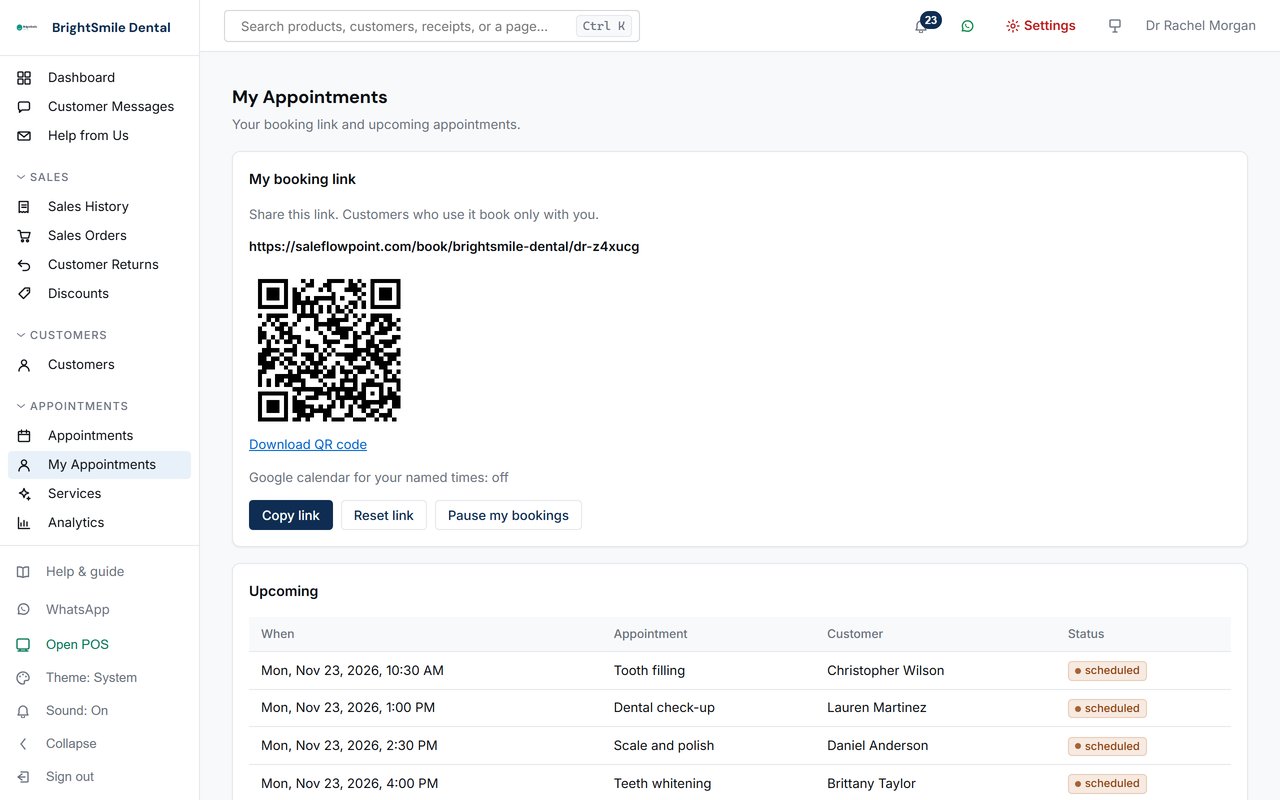
A personal booking link and QR code for every staff member
Each staff member can have their own booking link, in the form saleflowpoint.com/book/your-business/name-code, and a QR code made from it. Customers who use it book only with that person, for the services that person performs.
- Share it anywhere: in a message, on a social profile or on a business card.
- Print the QR code: download it as a picture for a card, a poster or a reception desk.
- Stay in control: pause your bookings when you are away. Resetting a link stops the old address at once, including anywhere it was printed.
- Set up the whole team: owners can see everyone's status and links on the Booking Setup page and set up all staff together.
Staff also get a My Appointments page with their own upcoming bookings.
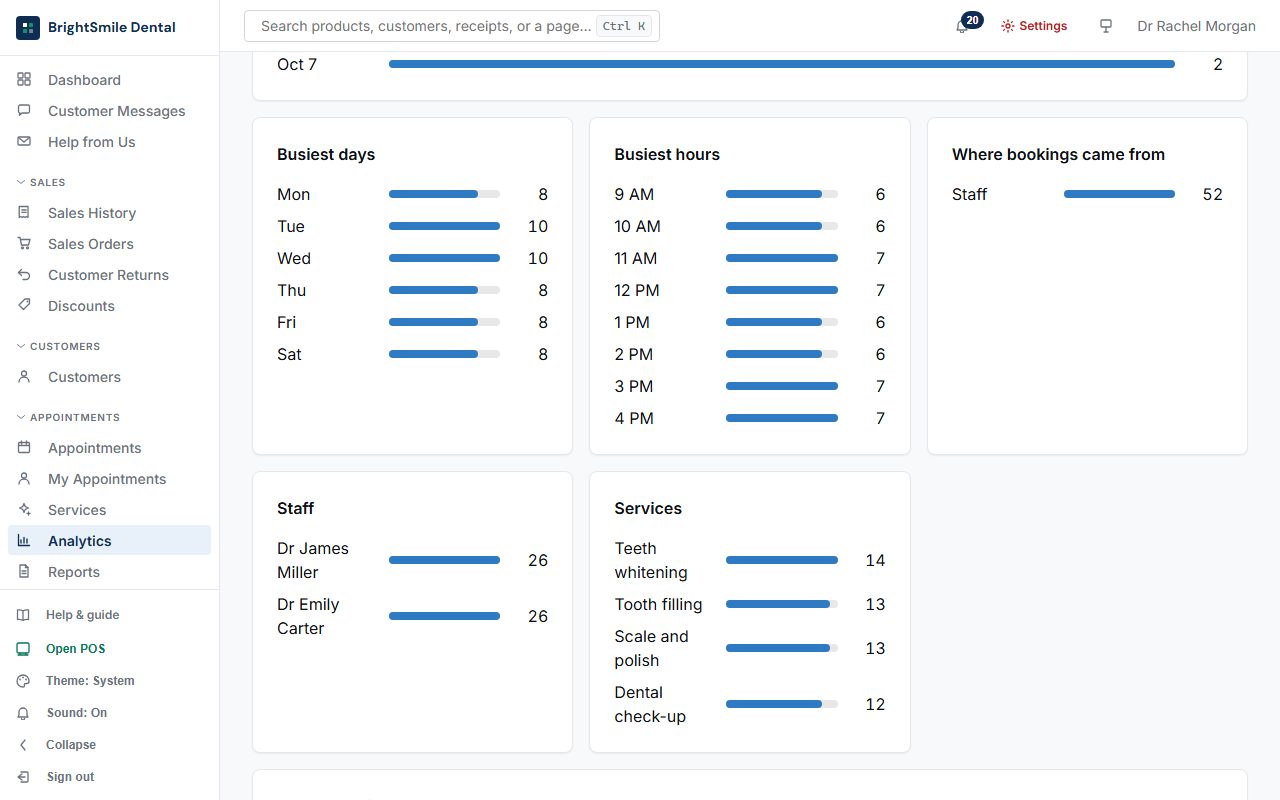
See where your bookings come from
Appointment analytics show bookings by day, hour, service and staff member, plus completion and no-show rates, new against returning customers, and whether a booking came from your shop page or a staff link. For staff links you can see how many opens turned into bookings.
Who uses it
Clinics, dentists and physiotherapists
Patients book a visit online and get reminders by email. SaleFlowPoint handles scheduling only. It is not a patient records system, so keep clinical notes in your clinical system.
Salons, barbers and spas
Set a length and price for each treatment, with buffer time to clean up between clients.
Vets
Pet owners can book a routine visit online, and the calendar shows who is seeing whom.
Consultants and tutors
Share your booking page instead of swapping messages to find a time.
Repair shops
Customers book a drop-off time, so the bench does not overflow on a busy morning.
Part of your whole business
Appointments live in the same account as your till, customers and reports. Your booking page can sit on your SaleFlowPoint website, and on a paid plan it works on your own domain. When a customer arrives, ring up the sale at the point of sale.
Questions
Can customers pay or leave a deposit online?
No. Booking online does not take payment. Take payment at your till when the customer arrives.
Do customers need an account?
No. A name and email address are enough.
Can a person be double-booked?
The system checks a staff member's other bookings, across all branches, before it accepts a new one.
Can I add an appointment for someone who phones?
Yes. Staff can add appointments from the calendar.
Can I book repeating appointments?
Not automatically. Each appointment is booked on its own.
Is it included in the free plan?
Plans differ. See pricing for what each one includes.
Related pages
Guides, videos and examples
Let customers book while you work
No card is required to register. Every company starts in review and goes live on approval.