

Features / Accounting
Accounting
Small business accounting software that writes its own entries
Bookkeeping often means typing the week's sales and bills into a second system, then hunting for what does not match. In SaleFlowPoint, accounting sits behind your till and purchasing. Switch it on, and sales, purchases and payments post themselves to a double-entry ledger.
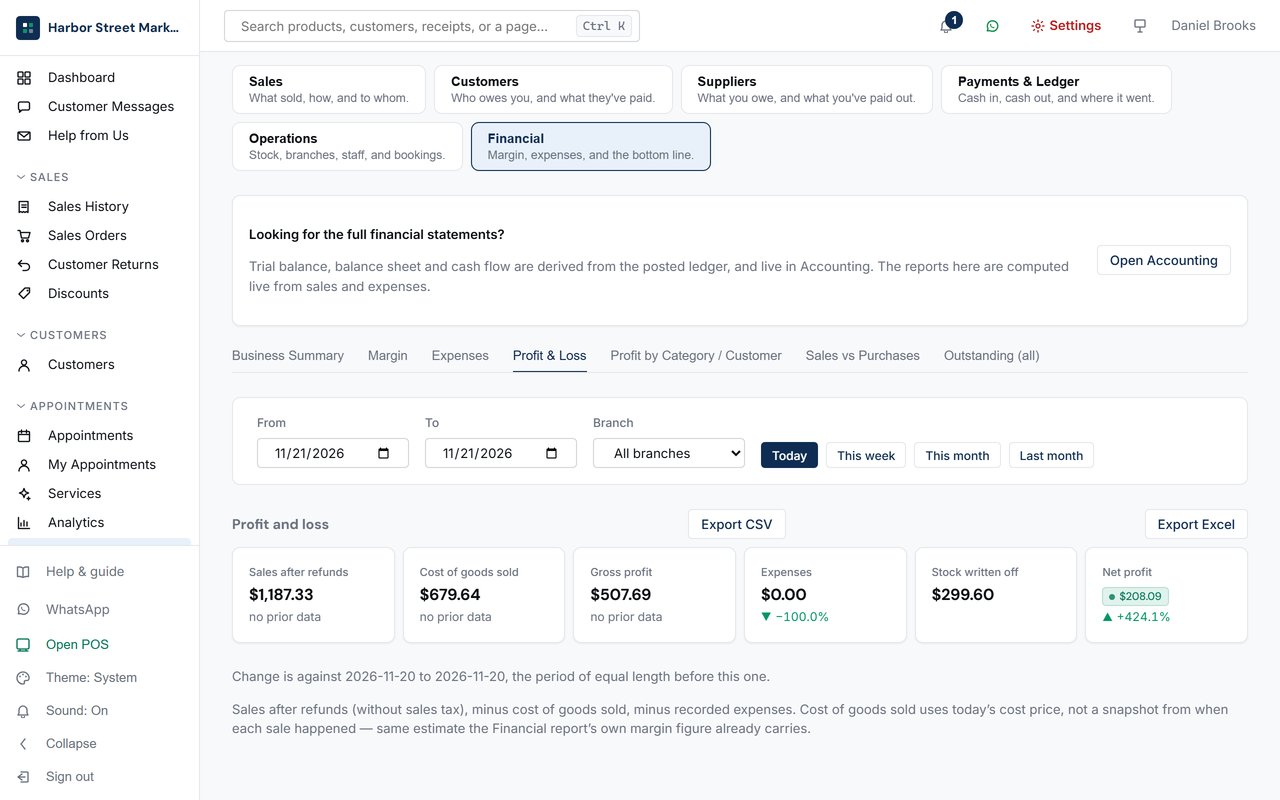
Your books, built from your documents
Each business document creates its journal entries automatically. That means your accounts follow the work your staff already do, with no end-of-week re-typing. If an entry cannot post, it is listed so you can fix the cause and retry, rather than finding a gap at year end.
Ledger entries are not edited after posting. A correction is a new entry, so the history stays intact. Every amount is stored as an exact whole number of minor units, so totals do not drift through rounding.
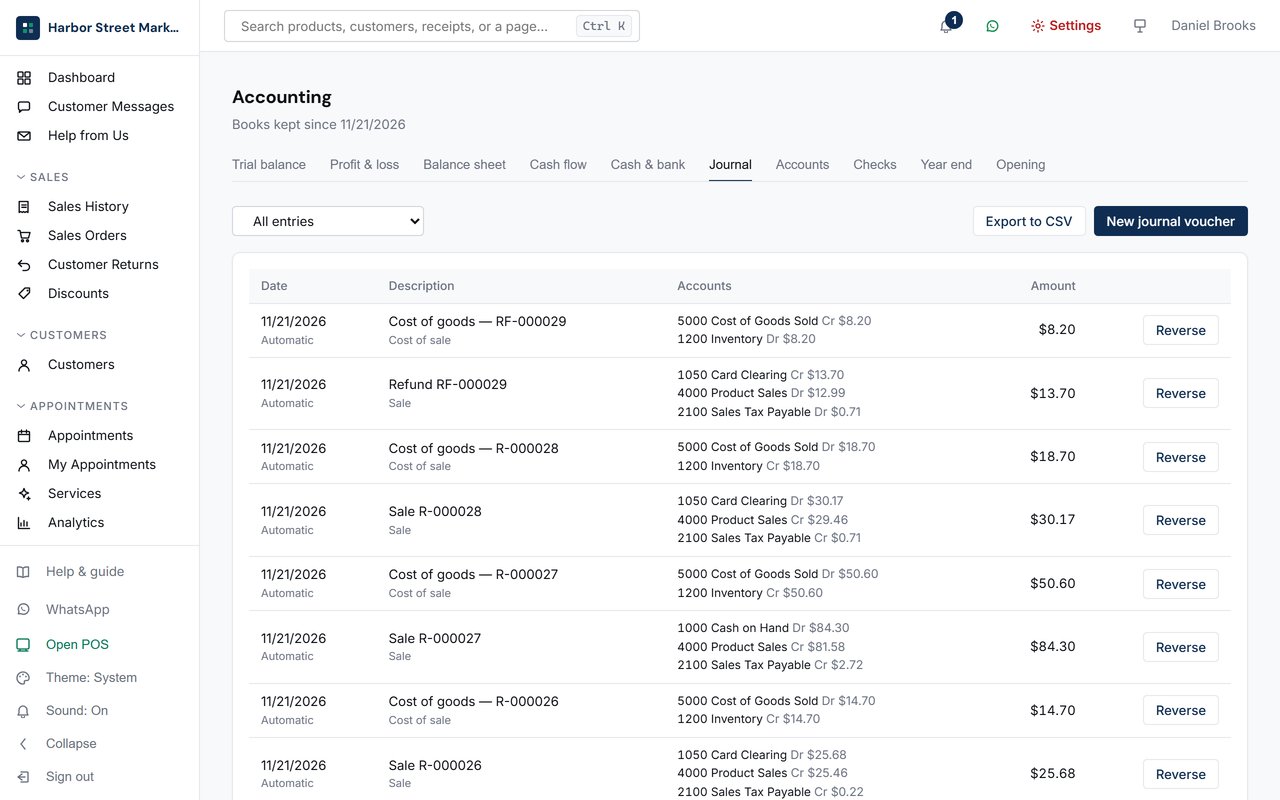
The statements you need
- Trial balance
- Profit and loss
- Balance sheet
- Cash flow
Revenue in profit and loss is shown without sales tax. Stock written off in count corrections is taken off too, so the profit figure reflects what you really kept.
Run the month and the year
- Chart of accounts: the accounts behind your statements.
- Journal and manual vouchers: for entries that do not come from a document.
- Cash and bank accounts, with bank reconciliation.
- Opening balances: start from where your old books ended.
- Year end: close the year and lock closed periods so nothing changes by accident.
- Journal export: hand your accountant a file.
Invoices, customers and suppliers
Print branded A4 invoices with your registration number, tax number and bank details. Customer accounts show balances, aging and statements, and payments are matched to invoices. Supplier invoices, payments and returns work the same way on the buying side. Credit and debit notes, rebates and post-dated cheques are available as options.
Sales tax reports
Set tax rates once and attach them to products. Several can stack. The Tax report shows what you collected. SaleFlowPoint gives you the figures. It does not file returns for you, so check them against your own country's rules with your accountant.
Expenses and budgets
Record bills and salaries as expenses, repeat them monthly, and set monthly budgets per category and branch. An approval limit routes large expenses to the right person.
How it works
- Switch on Accounting in Settings. The start date is recorded.
- Enter your opening balances.
- Carry on selling and buying. Entries post in the background.
- Check your statements whenever you want them, and export the journal for your accountant.
Who it suits
Shop owners
See real profit without learning bookkeeping first.
Accountants
The built-in Accountant role reads reports, accounting, customers, suppliers and purchase orders, and can record payments, so a business and its accountant work from the same figures.
Multi-branch businesses
Budgets and reports can follow each branch.
Service businesses
Use custom sales and A4 invoices to bill work that is not stocked.
What it does not include
There is no payroll, and no automatic feed from your bank, so bank lines are reconciled by you. If you need those, or a tax filing service, you may still need other software or an accountant.
Questions
Do I need to know accounting?
Not for daily work, because entries post themselves. Have an accountant check your opening balances and year end.
Can I start partway through a year?
Yes. Enter opening balances and accounting starts from the date you switch it on. Earlier sales are not posted.
Can my accountant get access?
Yes. Add them as a user with the Accountant role.
Does it work with any currency?
Yes. Your company's currency is set in Settings.
Can I export my data?
Yes. Reports export to CSV or Excel, and the journal can be exported.
Does it do payroll?
No. You can record salaries as expenses.
Related pages
Guides, videos and examples
Let your sales keep your books
No card is required to register. Every company starts in review and goes live on approval.