

Features / Online catalogue
Online catalogue
An online catalogue that stays in step with your shop
Customers want to see what you stock and what it costs before they visit or call. Most small shops cannot keep a second product list up to date. SaleFlowPoint's online catalogue reads from the same products you sell at the till, so your range is online without double entry.
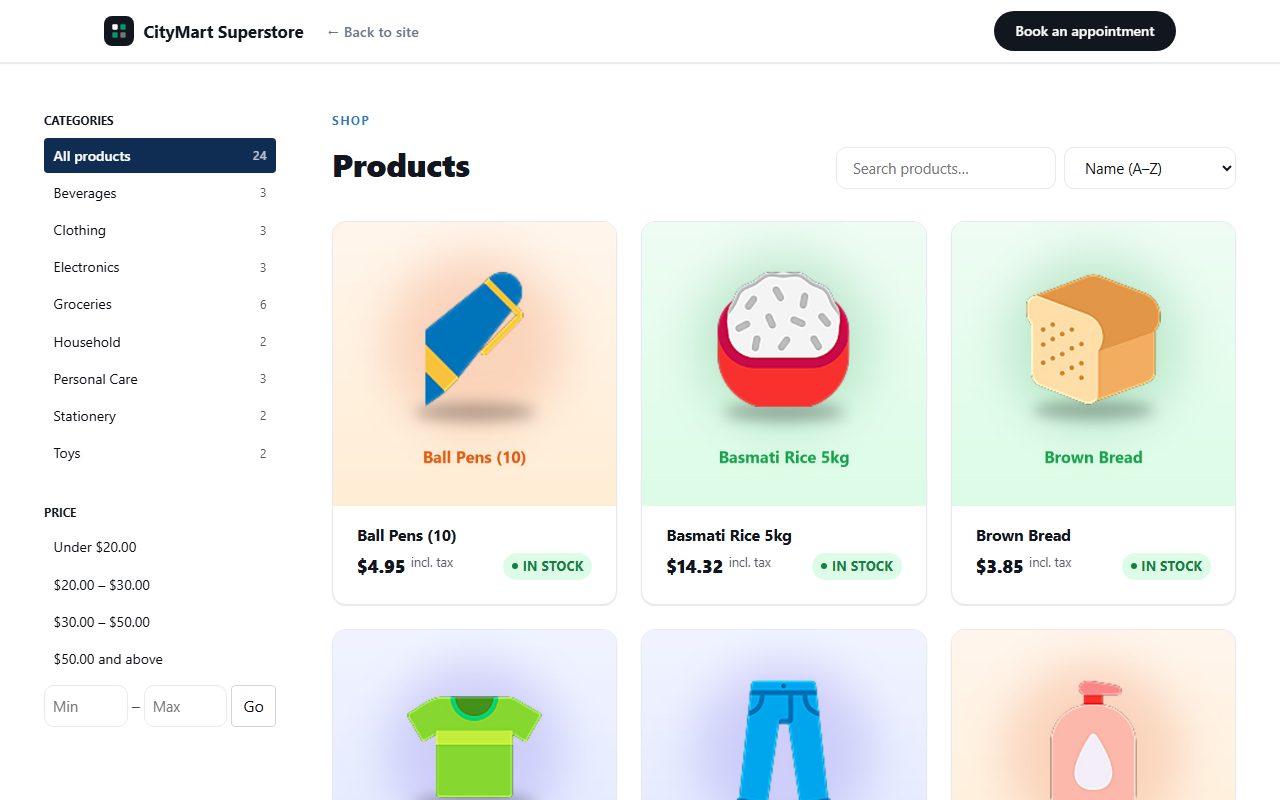
What your customers see
Your catalogue gets its own page, with:
- Categories and sub-categories to browse your range.
- Search to find a product by name.
- Filters and sorting by price.
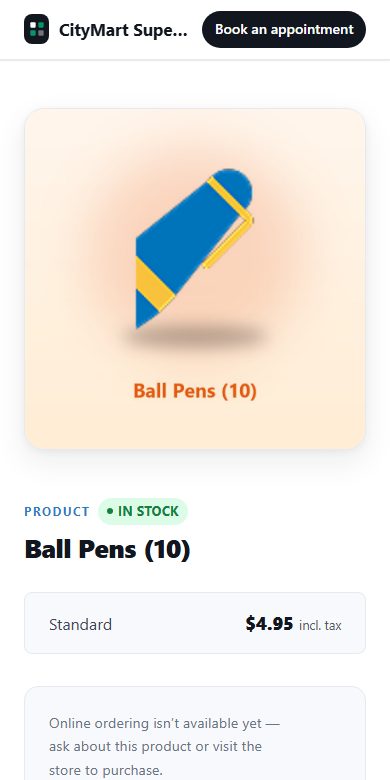
- Product pages with photos and a description. Paid plans and trials can show up to five pictures per product; the free plan shows one.
- Sale prices, with the regular price crossed out beside the discounted one.
- A stock badge, if you choose to show it.
How customers buy
This is a catalogue, not a checkout. There is no online cart or card payment. A customer finds what they want, then:
- presses Contact to purchase to reach your contact details,
- sends a message through Chat about this product, if you use Chat, or
- taps your WhatsApp button.
You agree the sale in the way you already do, and ring it up at the till. Many small shops prefer this: there are no payment fees to manage and no delivery promises to keep online. If you need customers to pay on your site, you need a full ecommerce platform instead.
How it works
- Add products with photos, or import them from a CSV.
- Tick the products you want on your website.
- Switch on "Show products on the website" in Settings.
- Publish your website, and share the link.
Prices that match the till
Products with tax show their price with tax, marked "incl. tax", as the till charges them. When a discount is running, the sale price shows by itself and ends when the discount ends. You can turn sale prices off under Website > Layout.
If you quote each customer yourself, use Call for pricing. It hides every price and keeps the catalogue as a showcase.
Stock you do not have to update twice
Sell the last item at the till, and a visible stock badge reflects it. Add a new product, tick the box, and it is online. There is one list of products, kept in your inventory.
Who it suits
Retail shops
Let local customers check your range and prices before they make the trip.
Boutiques
Show each new arrival with photos, and answer questions in chat.
Pharmacies
List general goods so people can see what you carry. Check your local rules on showing medicines and prices online.
Wholesalers and trade suppliers
Use Call for pricing to show your range and quote each buyer yourself.
Part of your website
The catalogue sits inside your SaleFlowPoint website, at saleflowpoint.com/store/your-shop. On a paid plan it can show on your own domain at www.yourshop.com/shop.
Questions
Can customers pay online?
No. There is no cart or online payment. Customers contact you to buy.
Can customers place an order on the site?
No. They reach you by contact details, chat or WhatsApp.
Do I have to show every product?
No. You choose product by product.
Can I hide my prices?
Yes. Call for pricing hides every price.
Can I show how many I have in stock?
You can switch on a stock badge, or leave it off.
How many pictures can a product have?
Up to five on paid plans and during a trial, and one on the free plan.
Related pages
Guides, videos and examples
Show customers what you stock
No card is required to register. Every company starts in review and goes live on approval.