

Features / Inventory management
Inventory
Inventory management software that is part of your till
A stock sheet is out of date the moment a customer buys something. SaleFlowPoint keeps stock inside the same system as your sales and purchases, so each sale, delivery and transfer updates the count itself. You see what you have, in which branch, and how it got there.
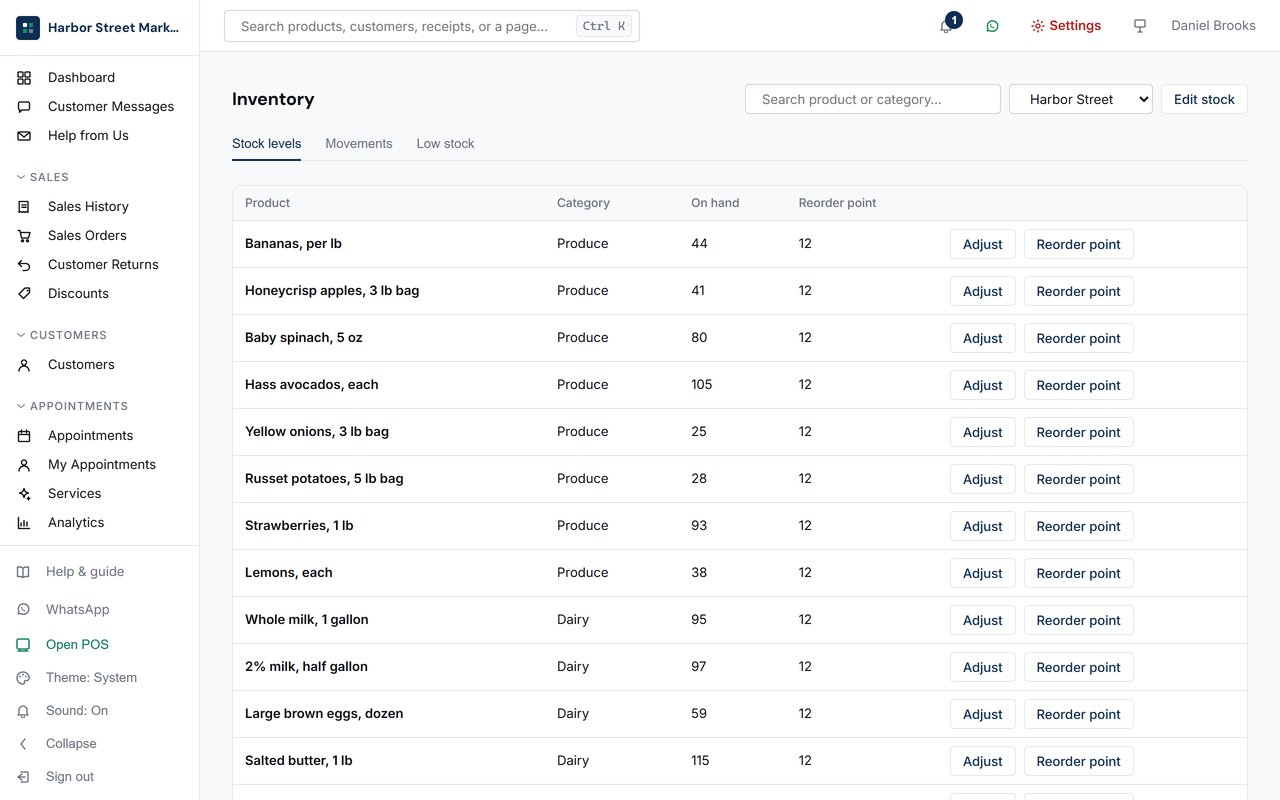
Know what you really have
For each product and branch, you see three numbers:
- On hand: what is physically there.
- Reserved: what is promised to wholesale orders.
- Available: what you can still sell.
Products can have variants, SKUs, barcodes (your own or generated), cost, price and MRP, and units of measure with pack sizes. Buy by the carton, and stock stays counted in units.
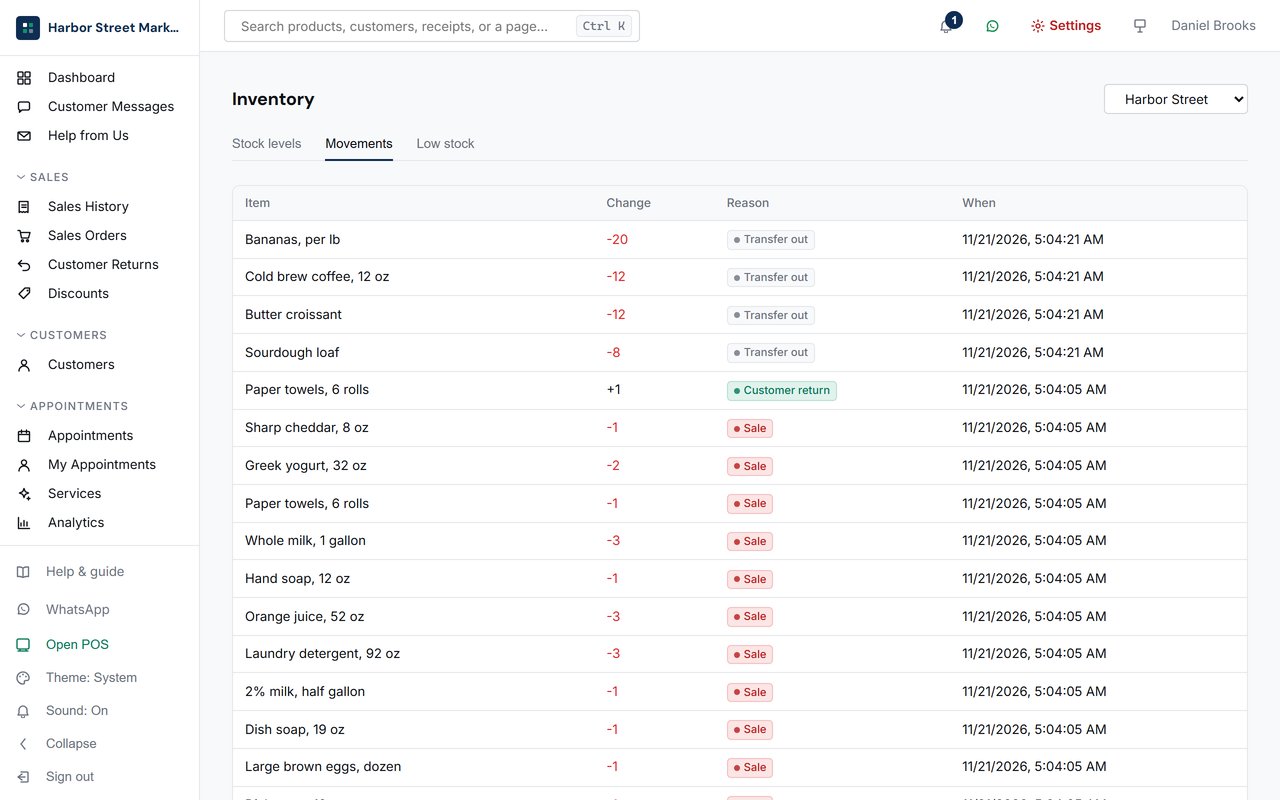
Every movement has a record
Stock changes are written to a history that cannot be edited. Sales, receipts, transfers and adjustments are all in it, so when a count looks wrong you can trace the reason. Adjustments need a reason, which makes shrinkage, damage and count corrections visible. Stock written off also shows in your profit and loss report.
Stock across branches
Run several locations from one account. Each branch keeps its own count, and stock transfers record what left one branch and arrived at another. People see the stock of the branches they are allowed to see.
Reorder before you run out
Set a reorder point per product and the low-stock list shows what needs buying, with low-stock alerts available as a Settings switch. Slow-moving stock reports show what is tying up your cash. If a product may go below zero, for example when goods arrive before the paperwork, you can allow that per product.
From purchase order to shelf
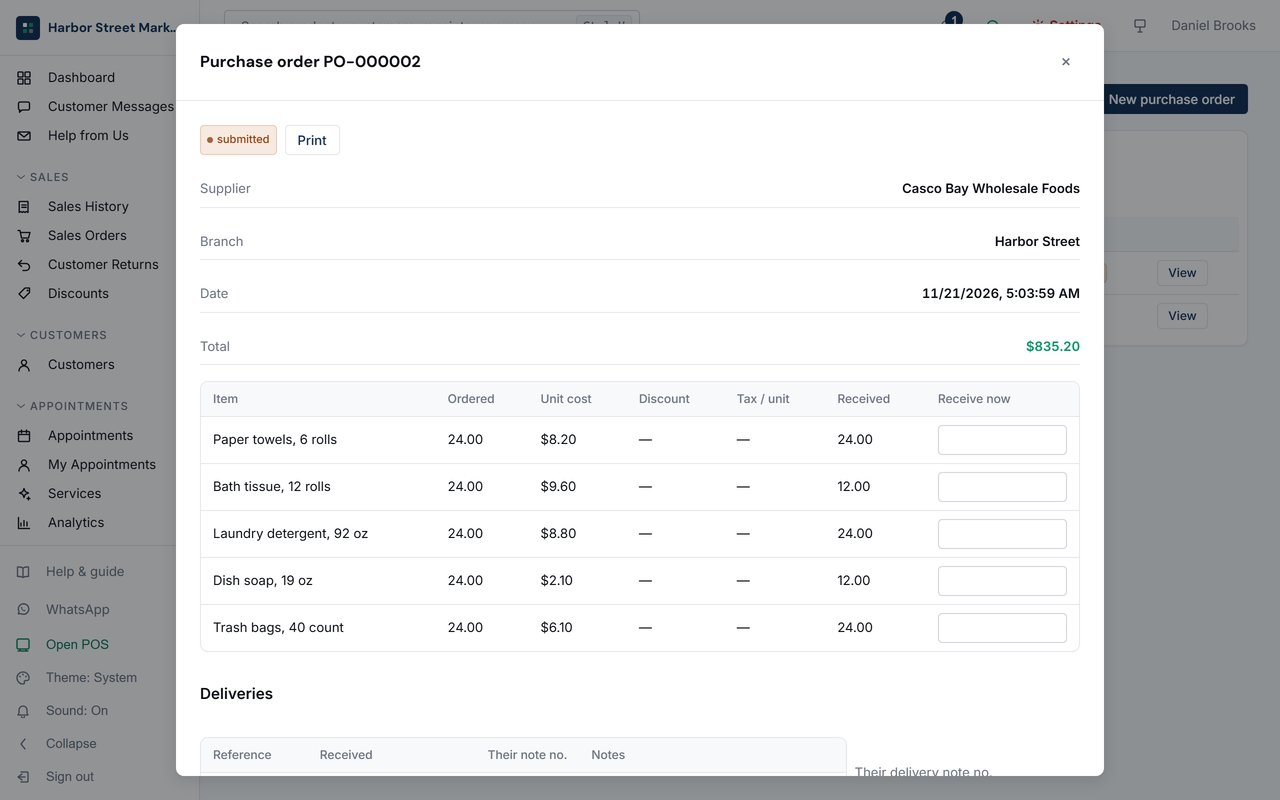
Raise a purchase order and receive it in parts as deliveries arrive. Goods receipts update your stock. With Purchase invoicing on, received goods wait for the supplier's invoice before they count as owed. Supplier returns take stock back out, and supplier statements show what you owe.
How it works
- Add your products. Type them in, import a CSV with a preview, or use AI-assisted import.
- Enter opening stock for each branch.
- Sell and buy as normal. Stock updates as you work.
- Check the reports. Each one exports to CSV or Excel.
Who it suits
Retail shops
Track sizes and colours as variants, and stop losing sales to items you thought you had.
Pharmacies
Switch on batch and expiry tracking to record batch numbers and see what is about to expire.
Wholesalers
Reserve stock against sales orders, deliver in parts, and invoice what was delivered.
Warehouses
Track what you hold and move between sites. Stock is tracked by branch, not by shelf or bin, so large warehouses with rack locations and pick lists will need dedicated warehouse software.
Connected to sales, website and accounts
The POS takes items out of stock at each sale, including offline sales once they sync. Your online catalogue can show a stock badge. With Accounting on, stock value flows into your books.
Questions
Is it good for a small business?
Yes. It works for one branch, and optional features such as batches and pack sizes stay off until you need them.
Can I track expiry dates?
Yes. Switch on batch and expiry tracking, and use the expiry report.
Can I do a stock take?
Yes. Correct your counts through stock adjustments, each with a reason.
Can it create barcodes?
Yes. Enter your own barcode for a product, or have one generated.
Does stock update when the till is offline?
Offline sales update your central stock when they sync.
Can I import from a spreadsheet?
Yes. Save it as CSV and check the preview before importing.
Related pages
Guides, videos and examples
See what you really have in stock
No card is required to register. Every company starts in review and goes live on approval.