Free POS for a Cafe: A Menu of Tiles and a Fast Counter
Tap the order, take the money, call the next customer
A cafe lives or dies at the counter
A free POS for a cafe has one job at eight in the morning: take the order and the money before the queue gets longer. Everything on the screen should be one tap away.
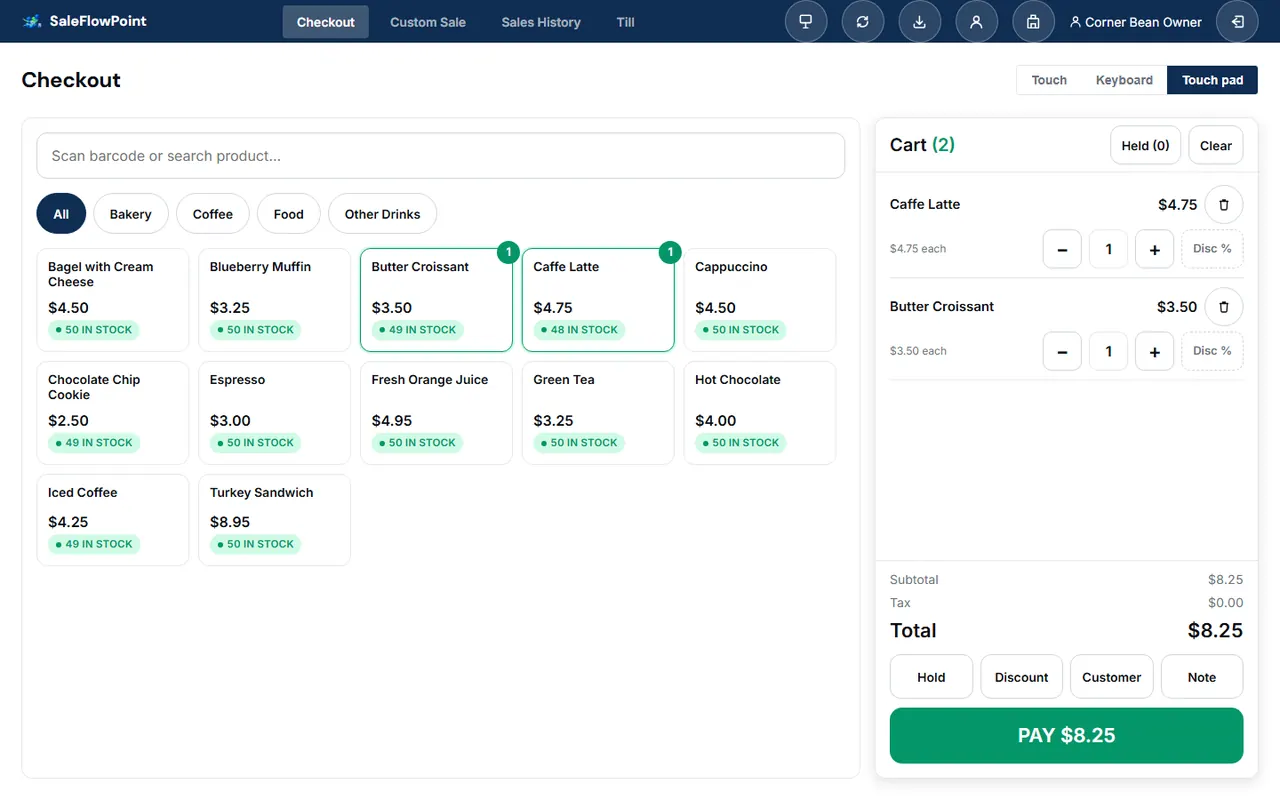
The menu as tiles
Each drink and each bite is a tile. Categories such as Coffee, Bakery and Food are buttons across the top, so the barista sees only what they need. It is made for a touch screen with no keyboard.
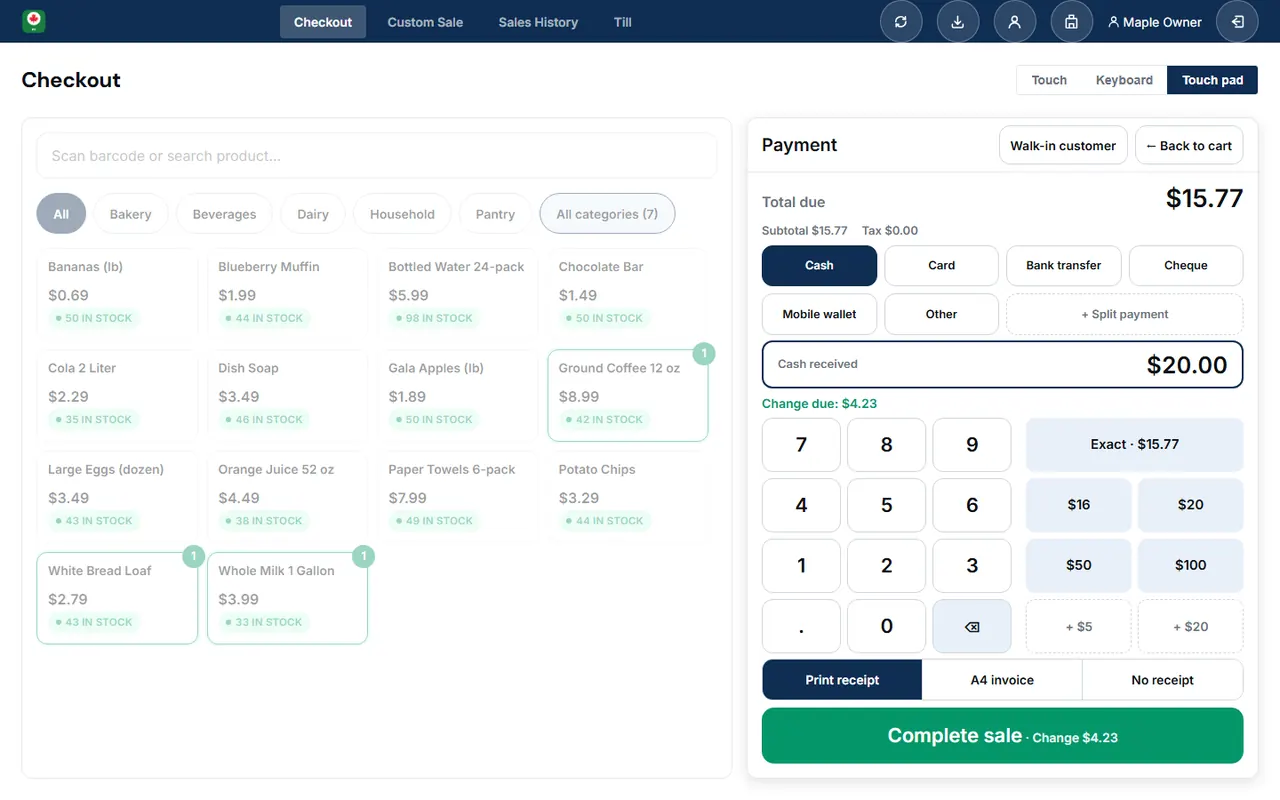
Cash and card, fast
For cash, tap the note the customer hands over and the change is shown. For card, tap Card and complete. A bill can be split between two ways of paying.
Hold an order
The customer is still deciding, or has gone to find their wallet. Hold the order, serve the next person, and bring it back when they are ready.
Building the menu
For a free POS for a cafe, the menu is the catalog. Each drink and each food item is a product with a price. Import them from a spreadsheet, or add them by hand if the menu is short.
Put them in the categories your customers think in: coffee, other drinks, bakery, food. Staff then find any item in two taps, even on their first shift.
Sizes and options
A drink that comes in small, medium and large is one product with three variants, each with its own price and its own tile. The same goes for a whole or half sandwich. Keep the names short so the tiles are easy to read from a step away.
The morning rush
- Put the tablet or touch screen where the person taking the order can reach it without turning
- Use Touch pad mode, so nobody needs a keyboard or a mouse
- Tap the note the customer hands over instead of typing the amount
- Hold an order the moment someone hesitates, and take the next
Stock in a cafe
You can track stock for items you buy in and sell as they are, such as bottled drinks and packaged snacks. For something made to order, such as a coffee, switch stock tracking off on that product, and it will never show as out of stock.
Counting up at the end of the day
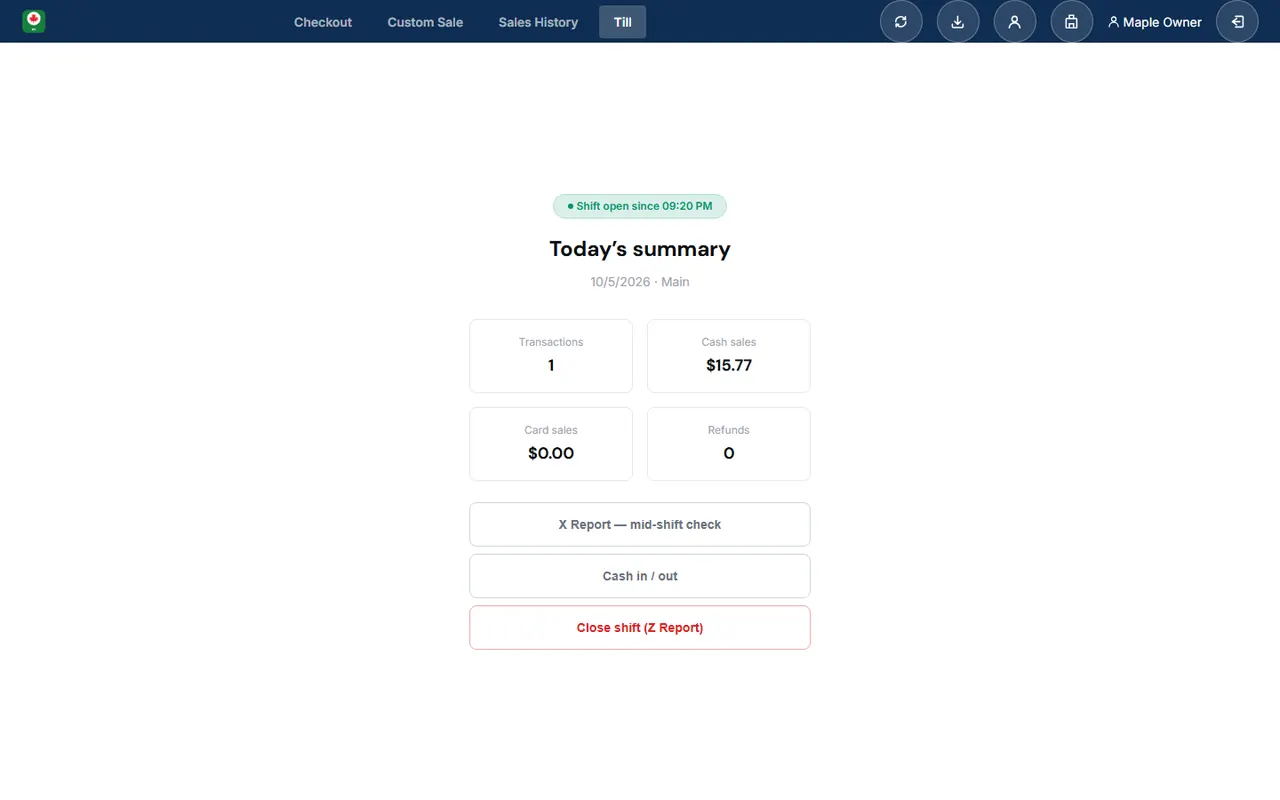
Close the shift by counting the drawer. The till already knows how much was cash and how much was card, because card money never goes in the drawer. If the count is short or over, the difference is recorded with that shift.
Your first week
A cafe can be up and running faster than most shops, because the menu is short.
- Enter the menu, with a category for each part of it
- Add sizes as variants where a drink has them
- Put the touch screen where the person taking orders stands
- Open a shift each morning and close it each night for a week
After seven closings you will know your busiest hours, your best sellers, and whether the drawer is right every day.
Common questions
Does it work on a tablet at the counter? Yes. It runs in the tablet's browser, and Touch pad mode needs no keyboard or mouse.
Can I take card payments? The till records how each sale was paid, including card. The card itself is taken on your own card terminal.
Can I add a note to an order? Yes. The Note button attaches a few words to the sale.
Can I give a regular their usual discount? Yes, as a percentage on an item or on the whole bill.
Does it handle tables or a kitchen screen? No. It is a counter till, without table plans or a kitchen screen.
Can it keep selling if the wifi drops? Yes, once the till is enrolled. Cash sales carry on and sync when the connection returns.
Can I change the menu in the middle of the day? Yes. Add an item or change a price in the admin area and it appears on the till.
The end of the day
Close the shift by counting the drawer. The till keeps cash and card apart, because card money never goes in the drawer.
One thing to know: this is a counter till. It does not have table plans or a kitchen screen.