Free POS for a Pharmacy: Never Run Out of What People Need
Fast checkout, stock for every product and a warning before a shelf is empty
The one thing a pharmacy cannot do
Run out. A customer who needs something today will not wait for your next delivery. So a free POS for a pharmacy has to do more than ring up a sale: it has to tell you what is getting low.
Organise by category
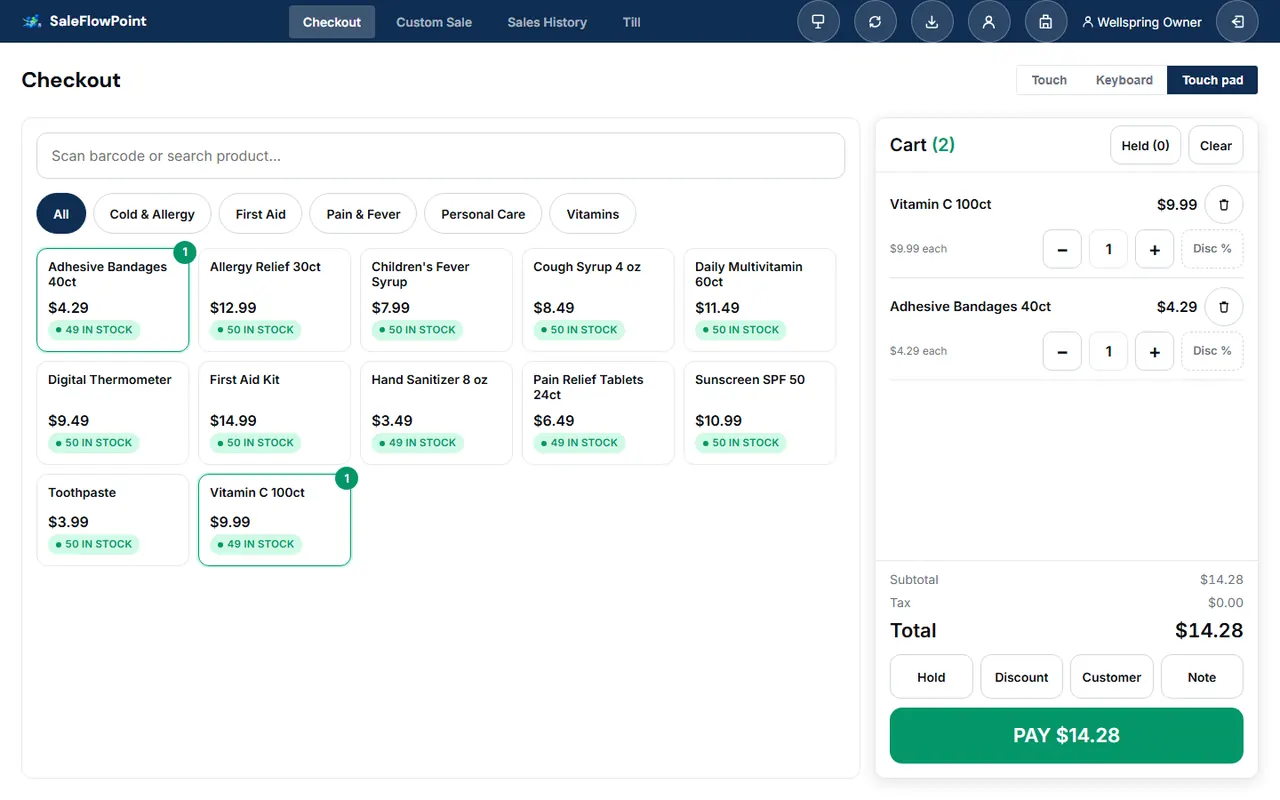
Group your products the way your shelves are arranged: pain and fever, cold and allergy, vitamins, first aid, personal care. The categories become buttons on the till, so anything is two taps away.
Reorder points
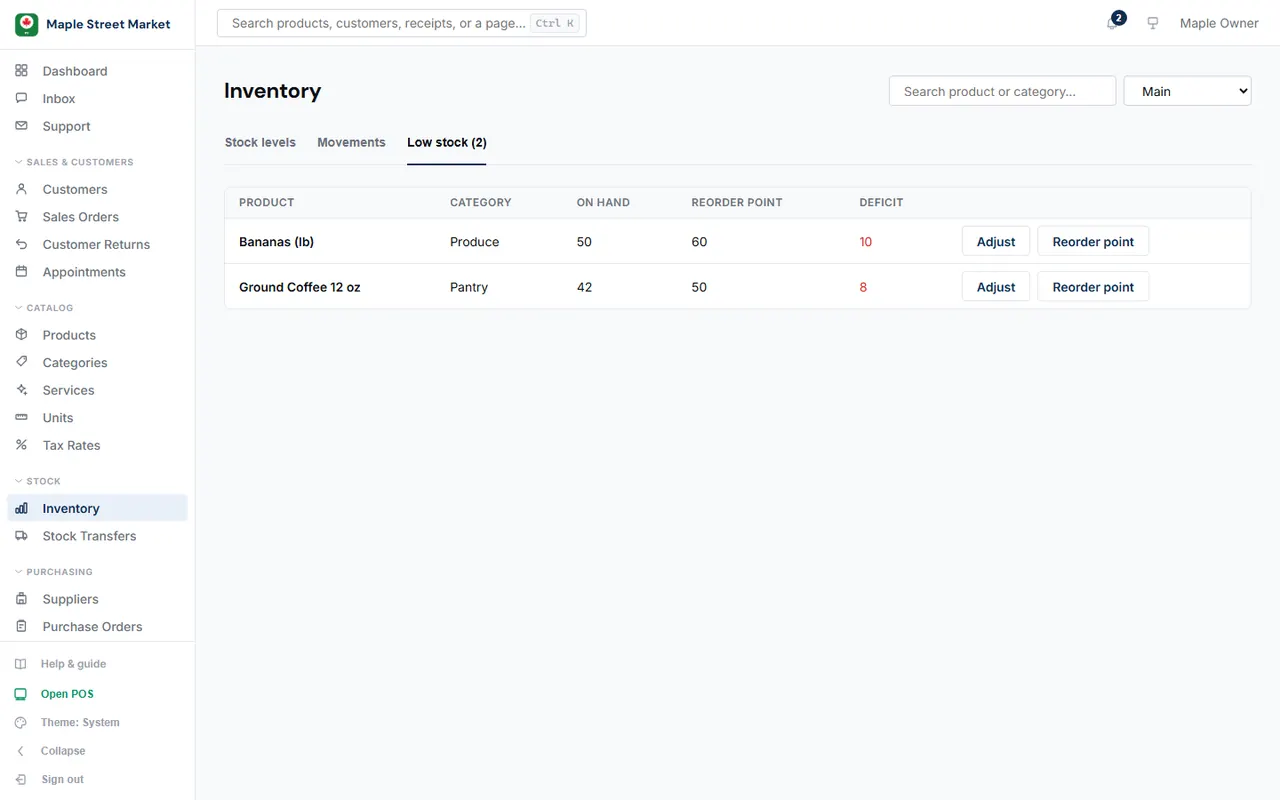
For each product you must always have, set a reorder point: the number at which you want a warning. When stock falls to it, the product appears on the Low stock tab and on your dashboard, with how many you are short.
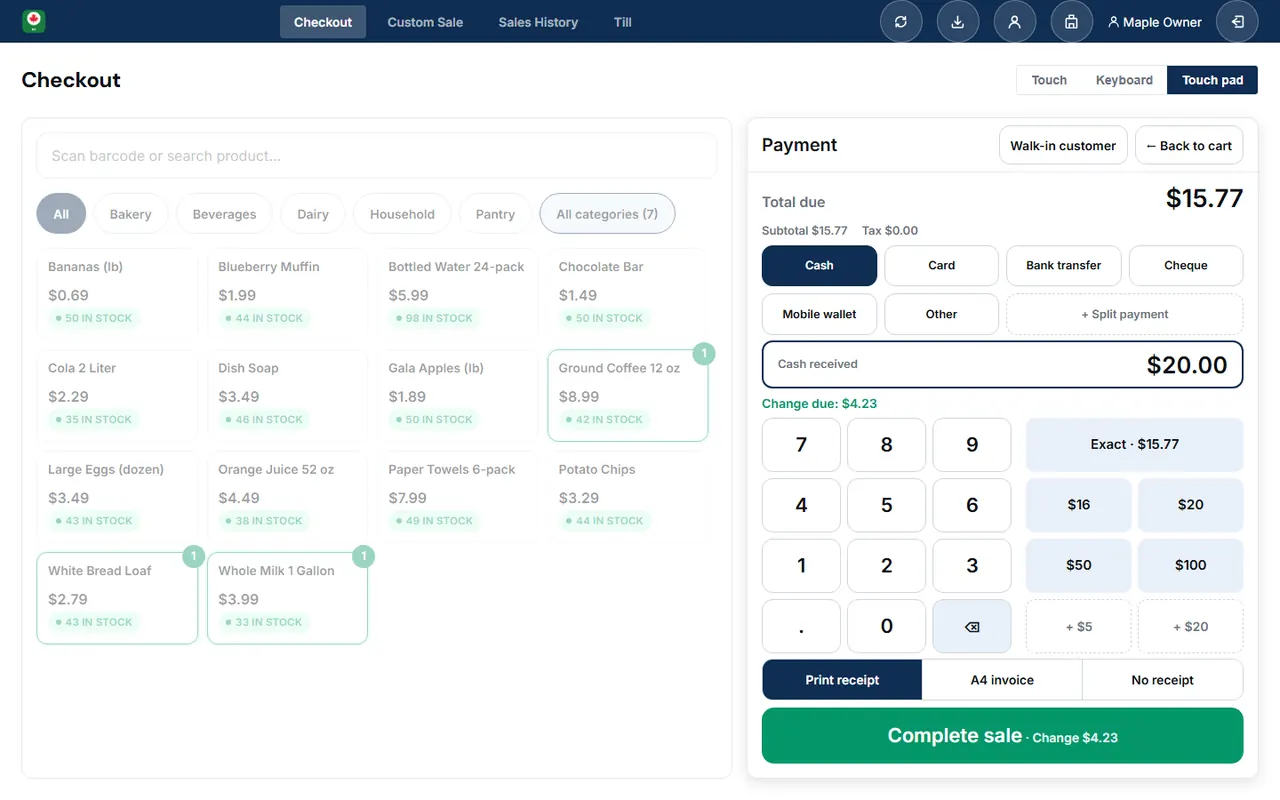
Find anything quickly
Scan the barcode, tap the tile, or type a few letters of the name. All three put the item in the cart.
Setting up the shelves
A free POS for a pharmacy starts with the catalog. Import your retail products from a spreadsheet with their barcodes, so everything on the shelf can be scanned. Group them the way customers look for them, so staff can also find a product by tapping when a barcode is damaged.
Deciding your reorder points
Think about how fast each product sells and how long your wholesaler takes. A product you sell five of a day, from a supplier who delivers in two days, needs at least ten on the shelf when you order. Set the reorder point a little above that.
Fast, everyday items deserve a generous level. Slow, expensive ones can sit lower. The aim is a Low stock list that is short enough to act on every morning.
A routine that prevents empty shelves
- Open the dashboard each morning and read the low stock count
- Open the Low stock tab and order what it lists
- When the delivery arrives, add it with Adjust the same day
- Take off anything expired or damaged, with a note
Five minutes a day replaces the walk along the shelves with a notebook.
At the counter
Customers in a pharmacy are often in a hurry or unwell, so the checkout should be quick and quiet. Scan, press Pay, tap the note handed over, and give the change the till shows. Card and other payment methods are one tap.
What this is, and is not
To repeat the point from above, because it matters: this is point of sale and stock control for the products a pharmacy sells over the counter. It does not handle prescriptions, patient records or the legal registers a dispensary must keep. Use it alongside whatever your regulations require for those.
Your first week
A pharmacy cannot stop serving while it changes systems, so bring it in step by step.
- Import your over-the-counter products with their barcodes
- Count the shelves once, after closing, and enter the numbers as opening stock
- Set reorder points on the items people ask for every day
- Give each member of staff their own sign-in, with the cashier role for the counter
After a week, the morning Low stock list replaces the walk along the shelves, and each sale shows who served the customer.
Common questions
Can I record expired stock? Take expired items off with Adjust and a note saying why, so the losses are recorded and your stock stays right.
Can I find a product without its barcode? Yes. Tap its category and tile, or type part of its name.
Does it print receipts? Yes, a till receipt or a full page invoice, through the computer's own printer.
Can I keep a customer's purchases together? Yes, by choosing the customer at the till. Their purchases are then listed under that customer.
Is my data kept separate from other businesses? Each business has its own account, kept apart from every other business on the platform.
Can staff have different levels of access? Yes. Each user has a role, and a role decides what that person can see and do.
Does it handle prescriptions? No. It is for products sold over the counter, and it is not a system for patient or prescription records.
A note on what this is
This is a point of sale and stock system for the retail side of a pharmacy. It is not dispensing software and it does not keep prescription records.