Build a WhatsApp Agent for Invoices and Payments
Copperfield Office Supply, Columbus, Ohio: balance, overdue invoices, payments and disputes
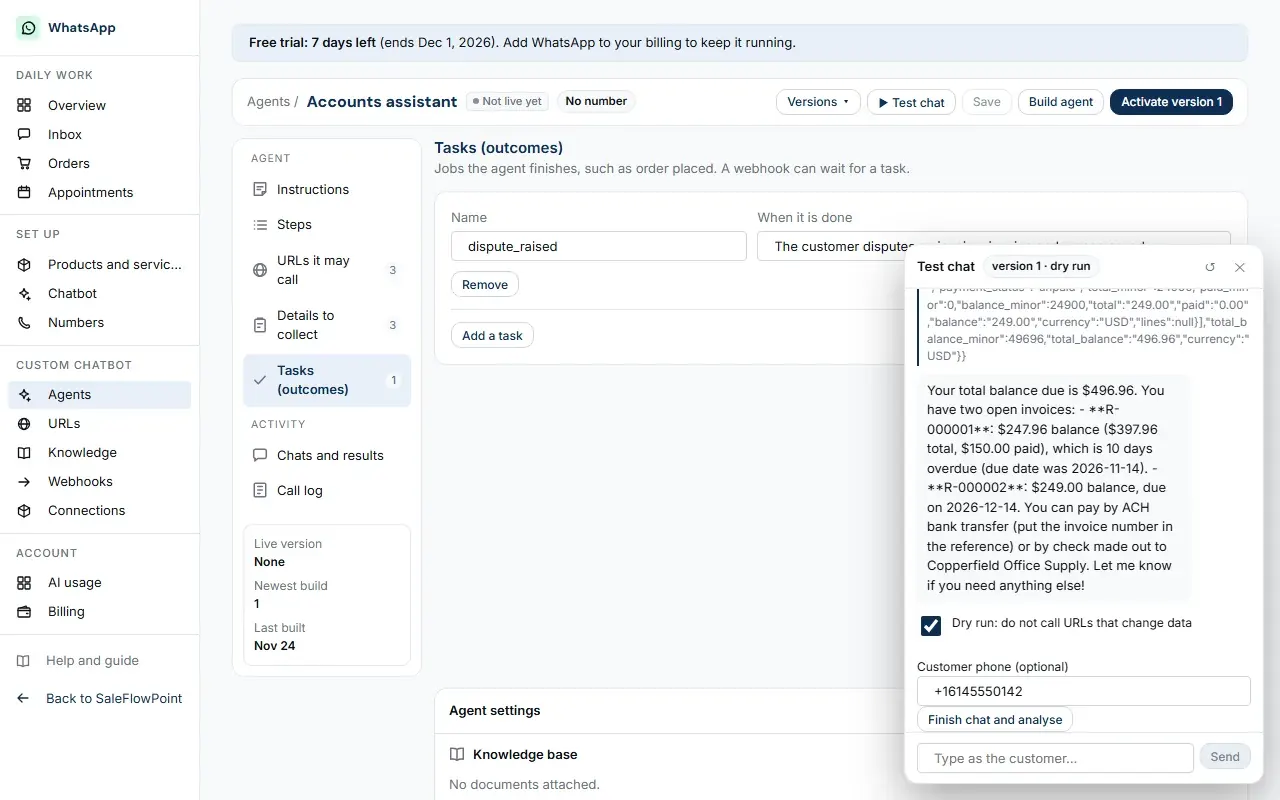
This guide builds a complete WhatsApp agent with SaleFlowPoint's custom chatbot (Mode 3) for Copperfield Office Supply, an invented office supplies company in Columbus, Ohio. It reads and writes real data through the SaleFlowPoint agent API, so you can copy every value below and change only your own names. Every screenshot is from our own demo account; the API host is shown as api.example-shop.com, so put your own SaleFlowPoint address there.
Our demo account has two business customers with credit-sale invoices (Sell on account at the till, with a due date) and two payments received against them (Customers, Receive payment). The agent reads them through the SaleFlowPoint agent API, found by the customer's WhatsApp number.
What you need first
- A SaleFlowPoint company with the WhatsApp module (the trial works)
- A WhatsApp API key: WhatsApp, then API mode, Create key (we named it Agent demo). It is shown once.
- For a live agent, a connected WhatsApp number. Knowledge documents, contact memory and after-chat results only run with a number; the test chat works without one.
Step 1: the connection (the login)
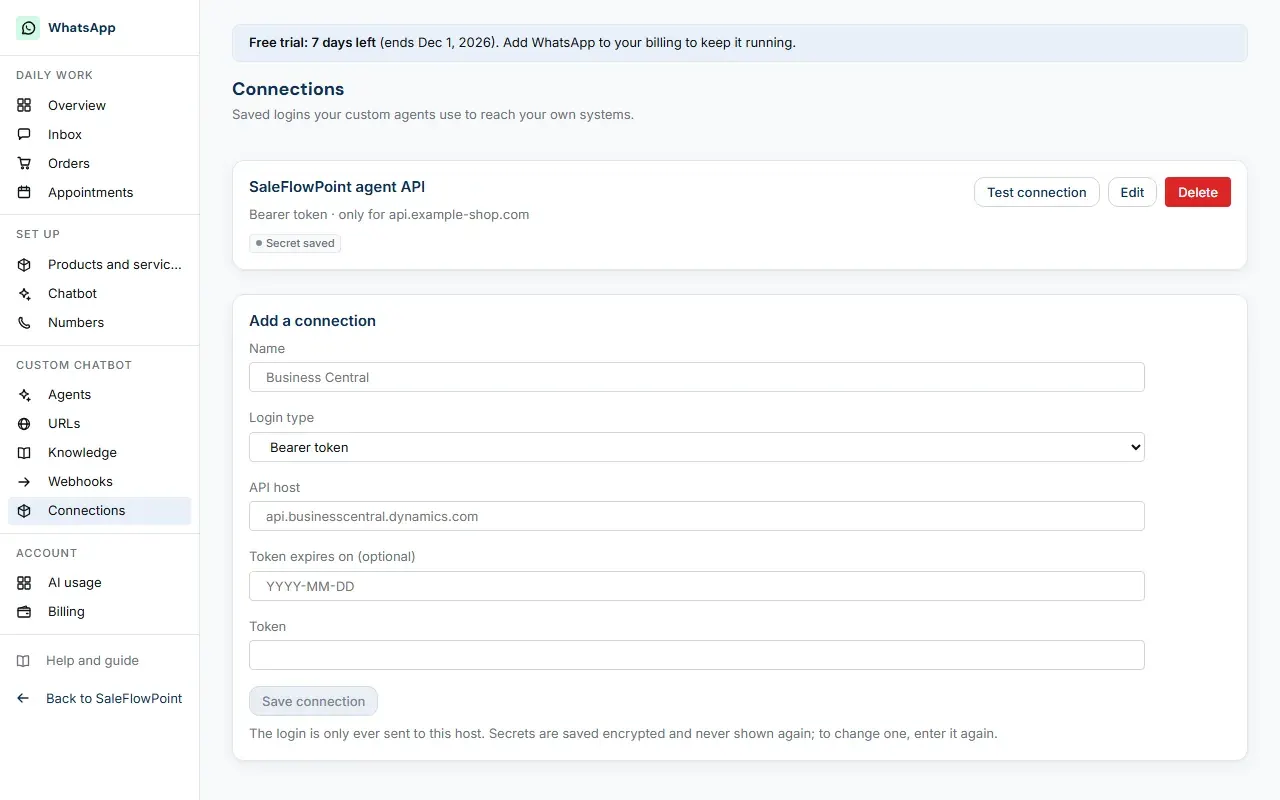
- WhatsApp, then Connections, Add a connection
- Name: SaleFlowPoint agent API
- Login type: Bearer token
- API host: api.example-shop.com (your own host)
- Token: the API key from API mode (saved encrypted and never shown again)
- Press Save connection
Step 2: the URLs
WhatsApp, then URLs, Add a URL. Add these 3 URLs exactly. Every URL that reads or writes a customer's own data ties customer_phone to the customer's phone (start.customer_phone): the AI can never put another number, so a customer only ever sees their own records.
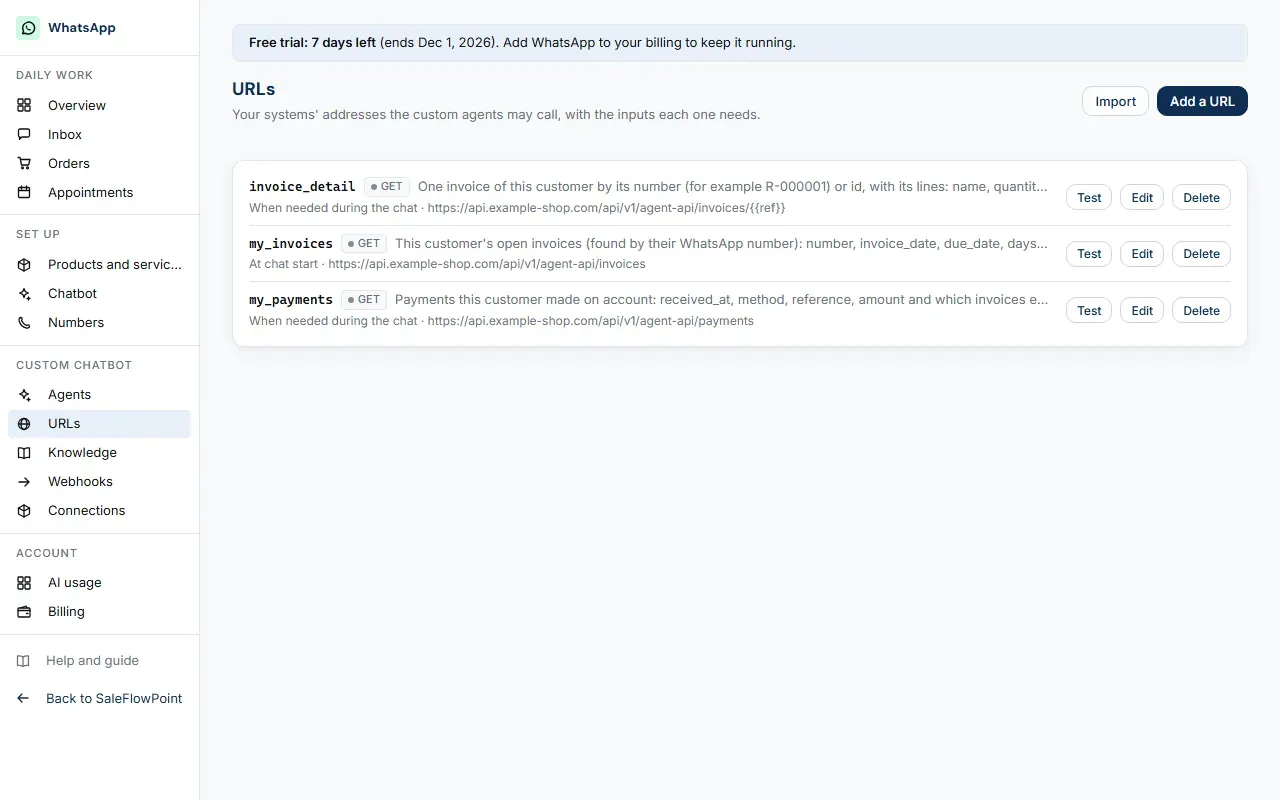
URL: my_invoices (GET)
- Name: my_invoices
- When to use: At chat start
- What it does: This customer's open invoices (found by their WhatsApp number): number, invoice_date, due_date, days_overdue, total, paid, balance (display text in US dollars) and total_balance.
- Method: GET
- Connection: SaleFlowPoint agent API
- Address: https://api.example-shop.com/api/v1/agent-api/invoices
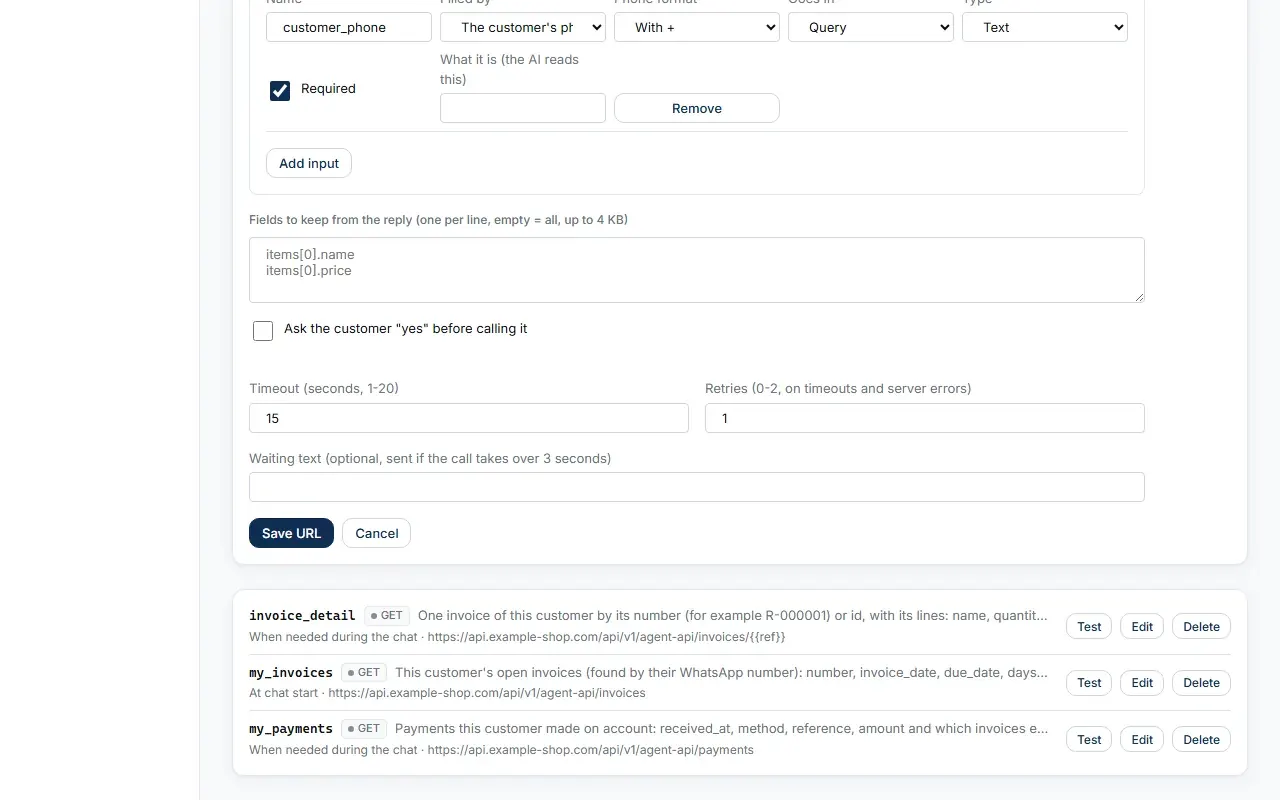
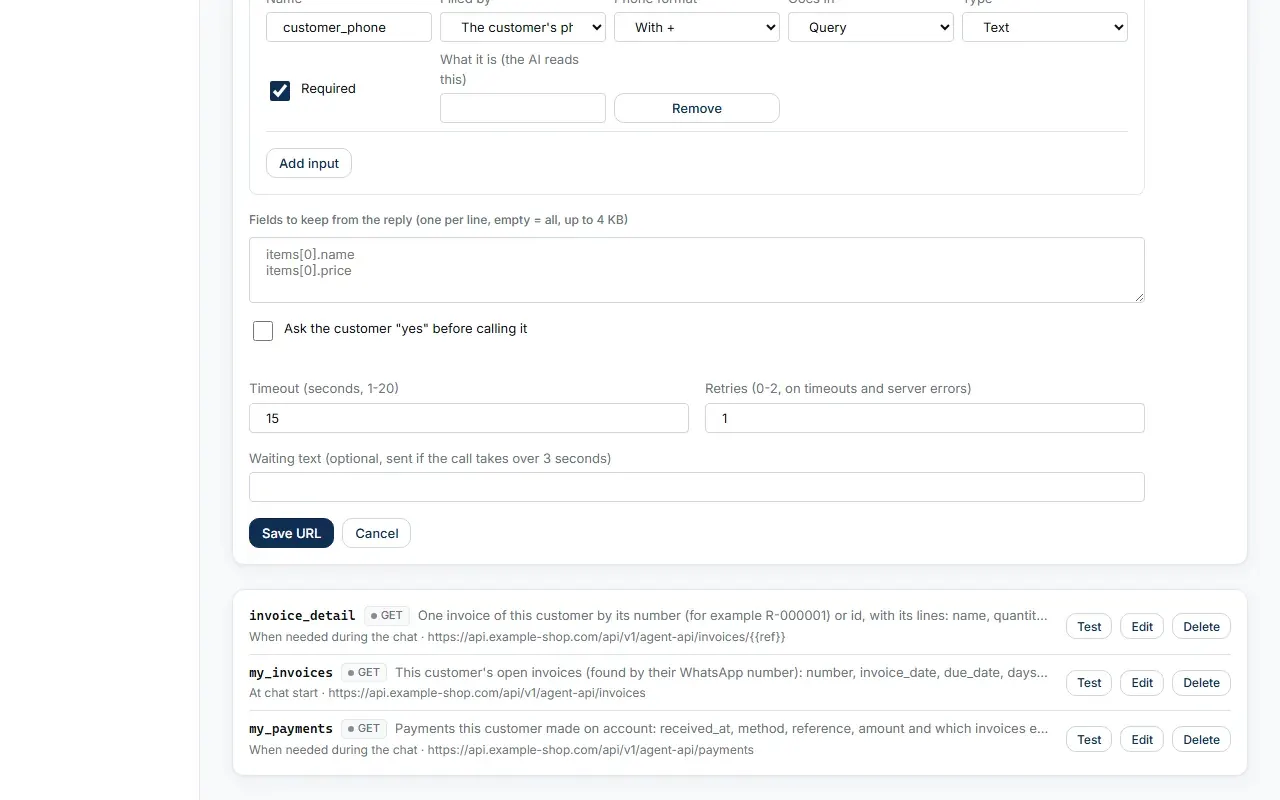
- Ask the customer yes before calling it: not ticked
- Fields to keep: empty (keep everything)
- Timeout: 15 seconds; retries: 1
- Inputs:
- customer_phone - filled by: The customer's phone (locked; the AI can never change it); goes in: Query; phone format: With +; this is start.customer_phone, never typed by the AI; required: yes
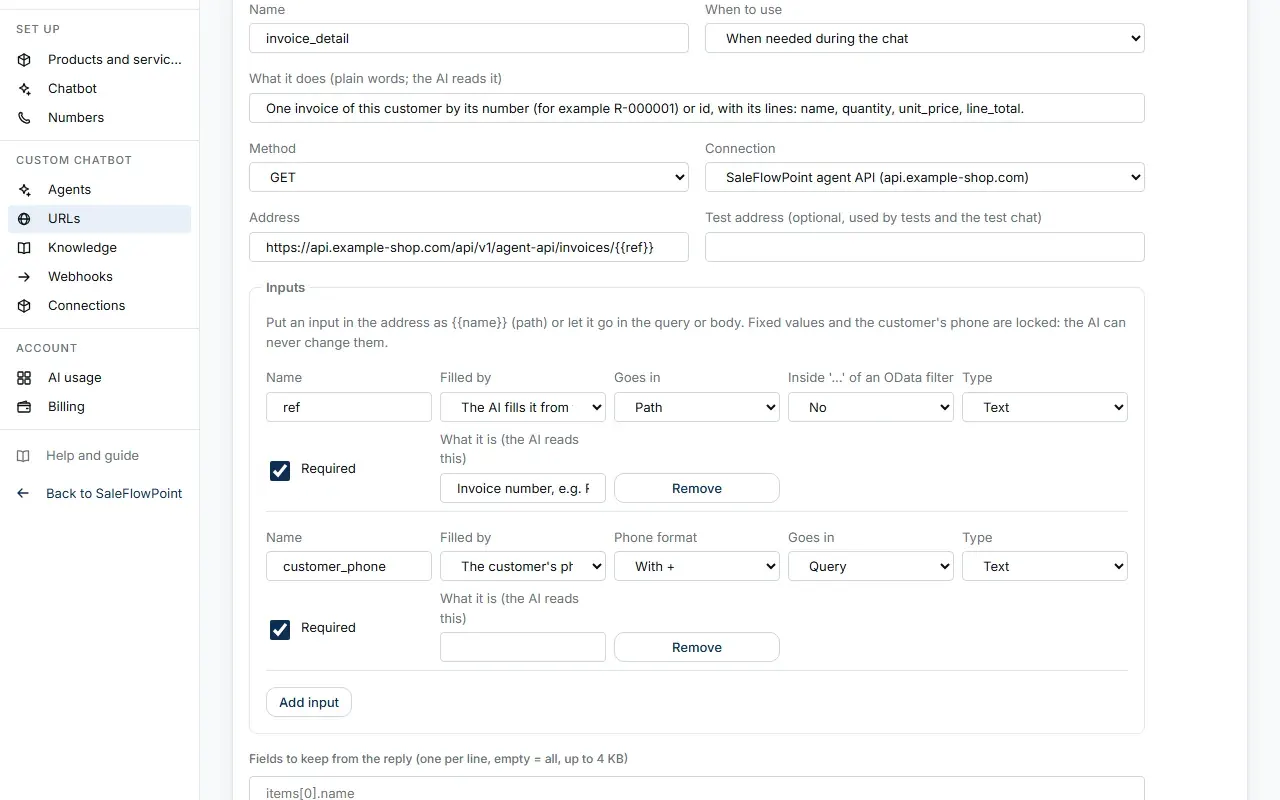
URL: invoice_detail (GET)
- Name: invoice_detail
- When to use: When needed during the chat
- What it does: One invoice of this customer by its number (for example R-000001) or id, with its lines: name, quantity, unit_price, line_total.
- Method: GET
- Connection: SaleFlowPoint agent API
- Address: https://api.example-shop.com/api/v1/agent-api/invoices/{{ref}}
- Ask the customer yes before calling it: not ticked
- Fields to keep: empty (keep everything)
- Timeout: 15 seconds; retries: 1
- Inputs:
- ref - filled by: The AI fills it from the chat; goes in: Path; required: yes; what it is: Invoice number, e.g. R-000001
- customer_phone - filled by: The customer's phone (locked; the AI can never change it); goes in: Query; phone format: With +; this is start.customer_phone, never typed by the AI; required: yes
URL: my_payments (GET)
- Name: my_payments
- When to use: When needed during the chat
- What it does: Payments this customer made on account: received_at, method, reference, amount and which invoices each paid (applied_to).
- Method: GET
- Connection: SaleFlowPoint agent API
- Address: https://api.example-shop.com/api/v1/agent-api/payments
- Ask the customer yes before calling it: not ticked
- Fields to keep: empty (keep everything)
- Timeout: 15 seconds; retries: 1
- Inputs:
- customer_phone - filled by: The customer's phone (locked; the AI can never change it); goes in: Query; phone format: With +; this is start.customer_phone, never typed by the AI; required: yes
Step 3: the agent's instructions
- WhatsApp, then Agents, Create agent; name: Accounts assistant
- A chat ends after 30 minutes without a message
You are the WhatsApp accounts assistant of Copperfield Office Supply, an office supplies company in Columbus, Ohio.
You help business customers with their own invoices and payments only.
my_invoices runs at the start; its reply (start.my_invoices) has this customer's open invoices and the total balance.
Use it for "what do I owe", "when is it due" and "which invoices are overdue"; use invoice_detail for the lines of one invoice and my_payments for "did you get my payment".
Money: say the display text with a dollar sign (balance "247.96" = 247.96 US dollars); never add up figures yourself, use total_balance.
If an invoice is overdue (days_overdue above 0), say so kindly and give the ways to pay.
If the customer disputes an invoice, ask ONE question at a time: which invoice, then what is wrong.
Save them as dispute_invoice and dispute_reason, then mark the task dispute_raised and say the accounts team will reply within one working day.
Never promise a credit or a refund yourself.
If the customer wants a person, say the accounts team will reply.
Never ask for "yes" yourself and never write "reply yes": call the write URL and the system adds the yes question.
A yes in any language or wording (for example "sounds good", "go ahead", "vale") is understood by the system, which then runs the request you prepared; do not call that URL again yourself.
Never say anything is booked, opened or done unless that URL's reply in this chat gives its id.
Today's date is in your instructions.
Answer in the customer's language.
Account facts (answer only from these): Copperfield Office Supply, 455 North High Street, Columbus, Ohio.
Business accounts pay on net 30 terms: each invoice is due 30 days after the invoice date unless the invoice shows another due date.
Pay by ACH bank transfer (put the invoice number in the reference) or by check made out to Copperfield Office Supply.
Payments take up to 2 working days to show on the account.
A copy of an invoice or a statement is emailed by the accounts team (accounts@copperfield-office.example).
Questions about a wrong price, missing items or damaged goods are disputes: collect the invoice number and what is wrong, and the accounts team replies within one working day.Hi, this is Copperfield Office Supply accounts. I can show your open invoices, balance and payments. How can I help?Sorry, our system is busy right now. A member of the team will reply shortly.I can help with your invoices, balance and payments. For anything else the team will reply.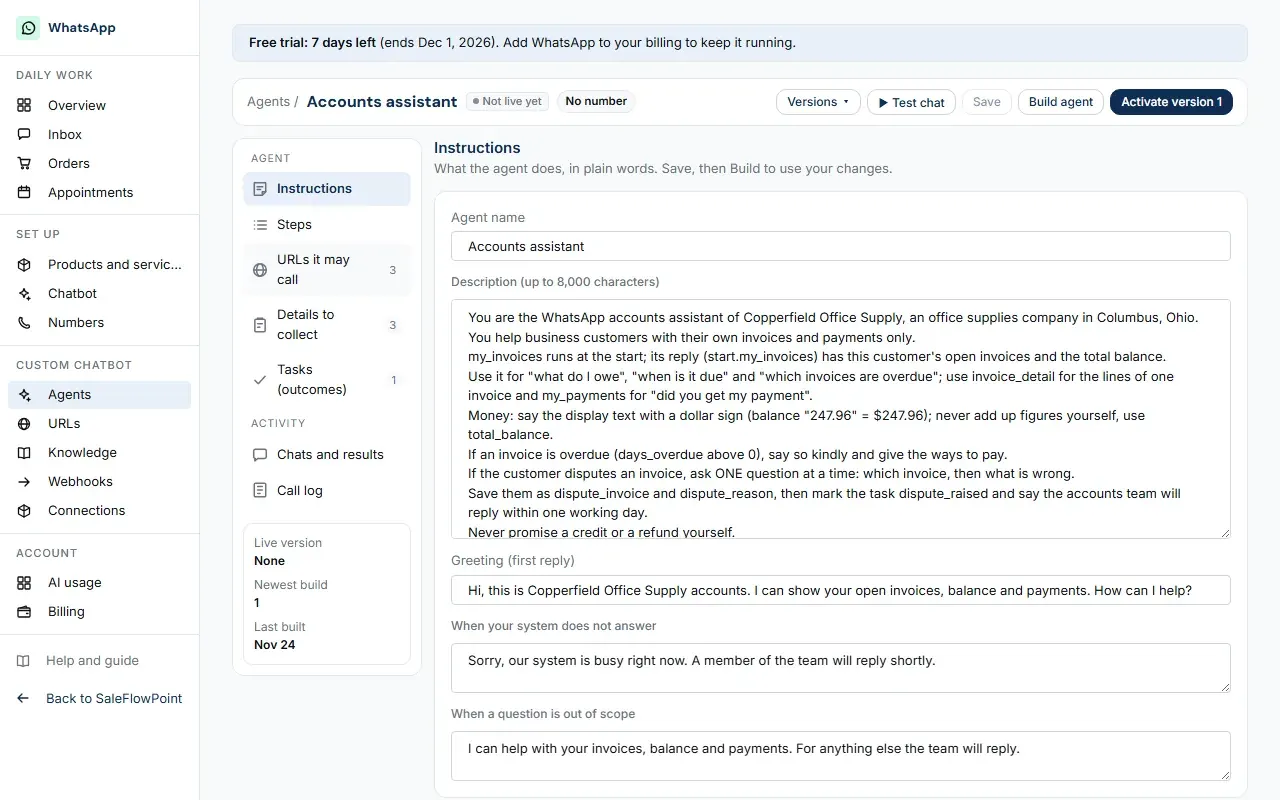
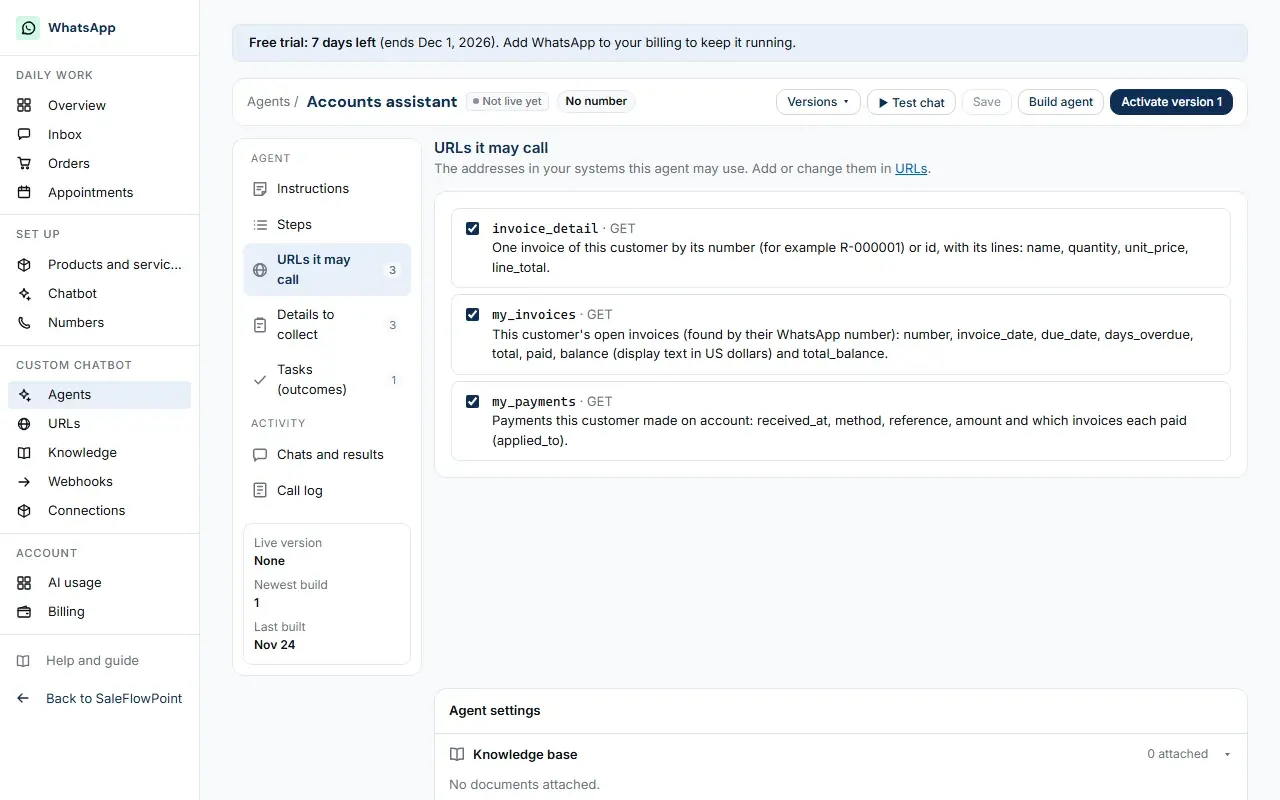
Then open URLs it may call and tick: my_invoices, invoice_detail, my_payments. Press Save.
Step 4: details, tasks and after-chat results
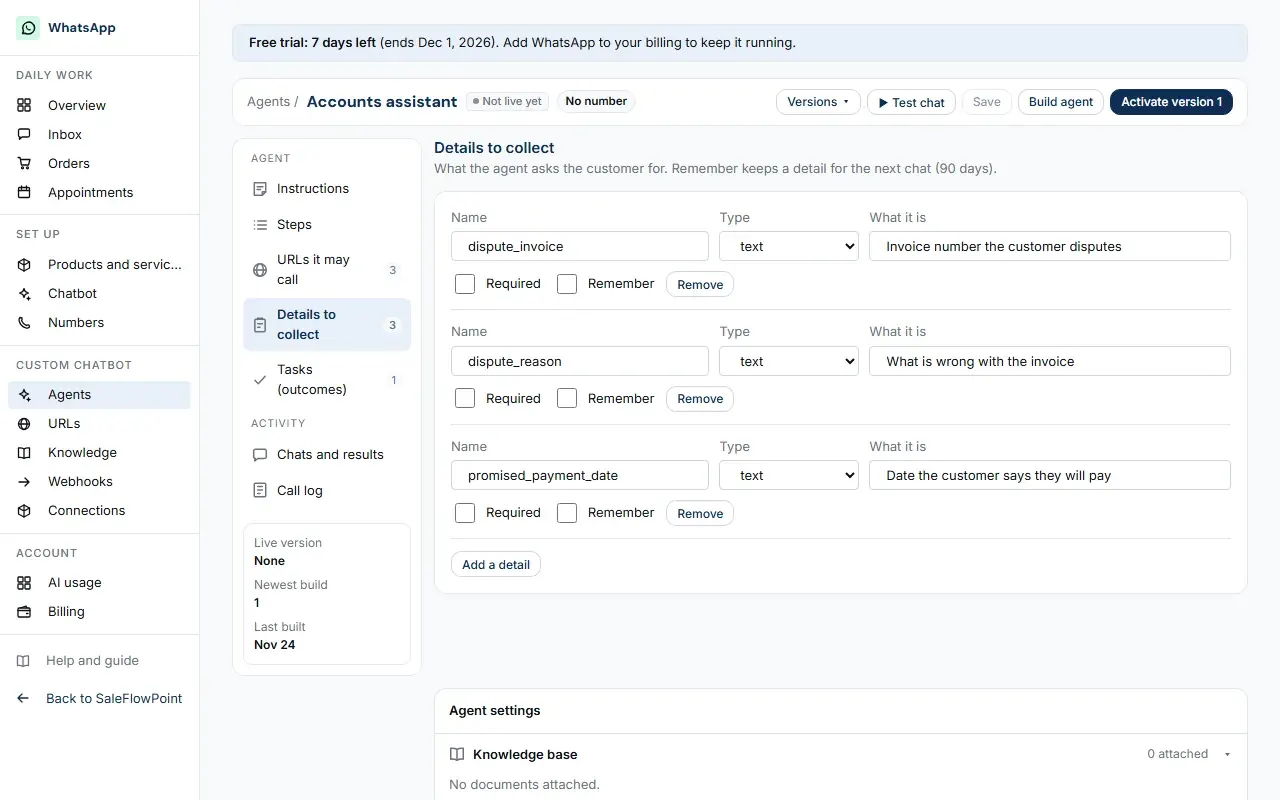
- Details to collect:
- dispute_invoice - type text; required: no; what it is: Invoice number the customer disputes
- dispute_reason - type text; required: no; what it is: What is wrong with the invoice
- promised_payment_date - type text; required: no; what it is: Date the customer says they will pay
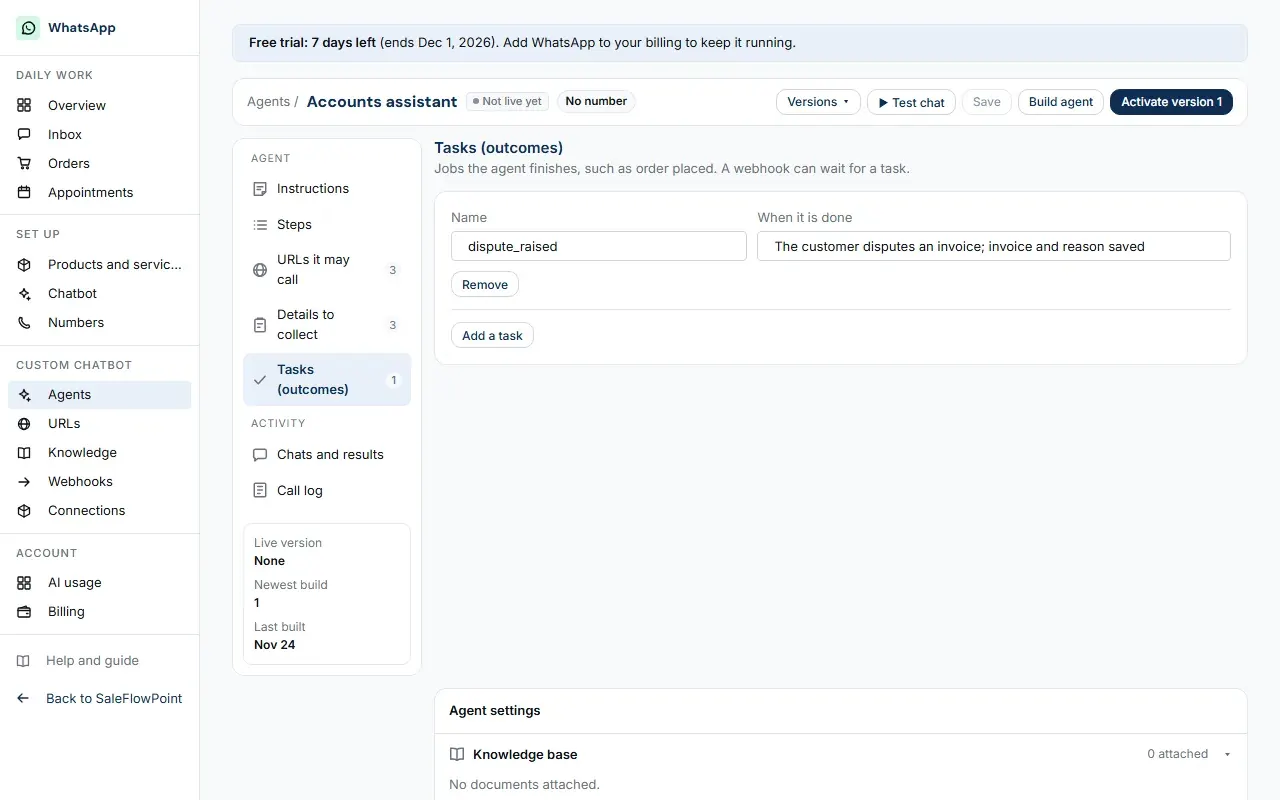
- Tasks (outcomes):
- dispute_raised - when it is done: The customer disputes an invoice; invoice and reason saved
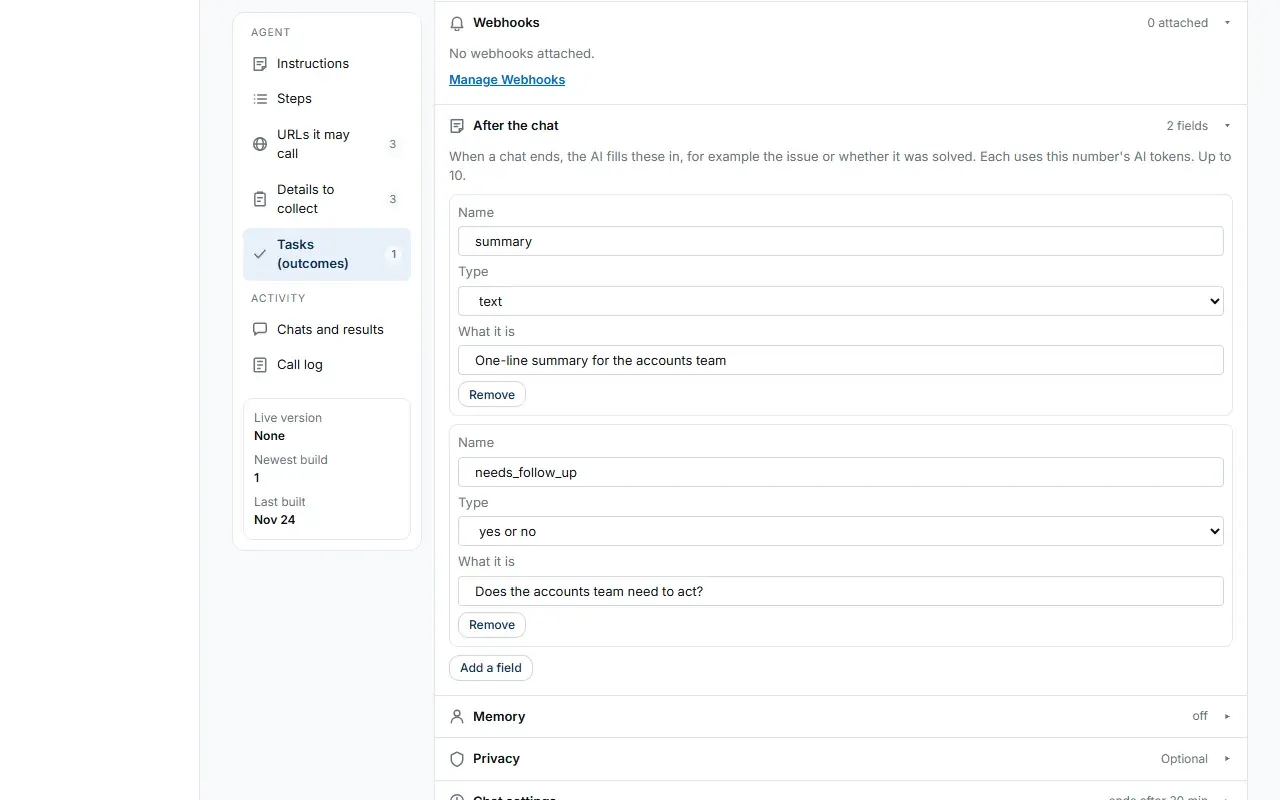
- After the chat (on the right, After the chat, Add a field):
- summary - type text; what it is: One-line summary for the accounts team
- needs_follow_up - type yes_no; what it is: Does the accounts team need to act?
Step 5: webhooks for your team
- WhatsApp, then Webhooks, Add webhook, with your own https receiver as the address (your CRM, helpdesk or automation tool):
- When: a task is done; task name: dispute_raised; send: always
- Copy the signing secret while it is shown (once), then attach the webhook in the agent under Webhooks.
- A condition can only test saved details, not after-chat fields: that is why the score or rating is a detail.
- In the test chat a webhook is only listed as would be sent; live chats really post it.
Step 6: build and test
Press Build agent. Read each AI-check warning, tick it if it is fine, and build again. Then press Test chat, enter the phone of a test customer, and untick Dry run only when you want the writes to really happen. A yes can be any wording or language ("sounds good", "go ahead", "vale"): the system judges it, and only the request the customer was shown runs.
Customer: Hi, what do we owe you at the moment?
[my_invoices 200 - at chat start]
Agent: Hi, this is Copperfield Office Supply accounts. I can show your open invoices, balance and payments. How can I help?
Your total balance is 496.96 US dollars. You have two open invoices:
- R-000001: 247.96 US dollars balance remaining (due 2026-11-14, which is 10 days overdue)
- R-000002: 249.00 US dollars (due 2026-12-14)
Customer: Which one is overdue and what was on it?
[invoice_detail 200]
Agent: Invoice R-000001 is 10 days overdue. Here are the items on it:
- Copy paper, letter size, case of 10 reams (Qty: 4, Unit price: 54.99 US dollars, Total: 219.96 US dollars)
- Laser toner cartridge, black (Qty: 2, Unit price: 89.00 US dollars, Total: 178.00 US dollars)
Since R-000001 is overdue, you can pay by ACH bank transfer (put the invoice number in the reference) or by check made out to Copperfield Office Supply.
Customer: Did you get our check for the gel pens?
[my_payments 200]
Agent: We received a check for 94.90 US dollars (Reference: Check 10457) on 2026-11-24, which was applied to invoice R-000003. We also received an ACH payment of 150.00 US dollars applied to invoice R-000001.
Please note that payments take up to 2 working days to show on the account.
Customer: ¿Cómo puedo pagar la factura vencida?
Agent: Puede pagar la factura vencida (R-000001) mediante transferencia bancaria ACH (incluyendo el número de factura en la referencia) o mediante un cheque a nombre de Copperfield Office Supply.
Customer: Also the chair invoice R-000002 is wrong. Our contract price for that chair is 229, not 249
[webhook outcome.dispute_raised: would be sent]
Agent: Thank you for letting us know. I have recorded your dispute for invoice R-000002 regarding the price. Our accounts team will reply within one working day.
Customer: sounds good, thanks
[webhook outcome.dispute_raised: would be sent]
Agent: De nada. Nuestra área de cuentas se pondrá en contacto con usted dentro de un día hábil. ¿Hay algo más en lo que pueda ayudarle?
[Finish chat and analyse: {"summary": "Customer disputed the price on invoice R-000002 (249 US dollars vs contracted 229 US dollars); accounts team needs to resolve the dispute.", "needs_follow_up": true}]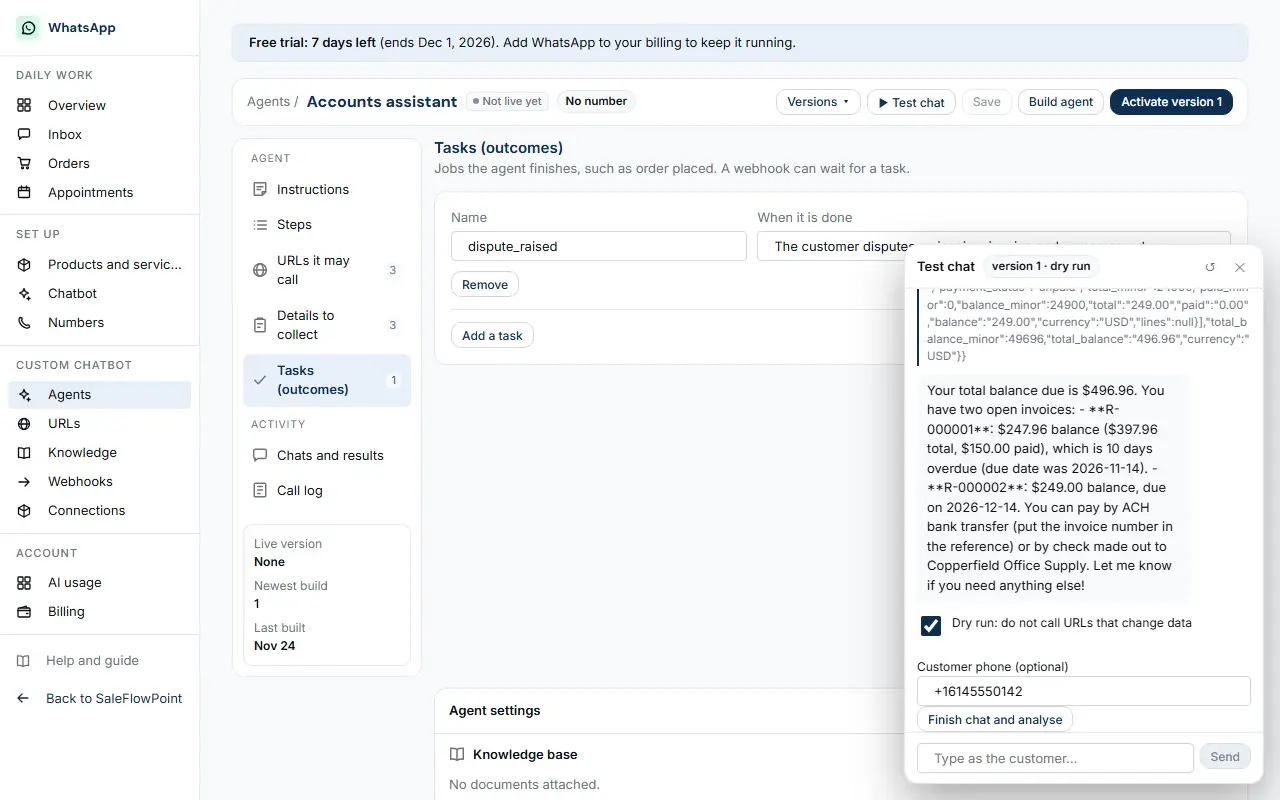
What we saw in testing
- Every amount came from the invoice and payment replies; the agent took the total balance from total_balance instead of adding it up.
- The Spanish question was answered in Spanish from the account facts; the next English message got a Spanish reply too. Tell the agent in the description to answer in the language of the customer's latest message if that matters to you.
- On an agent that only reads, the dispute_raised task fired on two turns in a row (once per time the AI marked it). A webhook receiver should treat repeats of the same chat as one dispute.
Step 7: connect a number and choose Custom chatbot
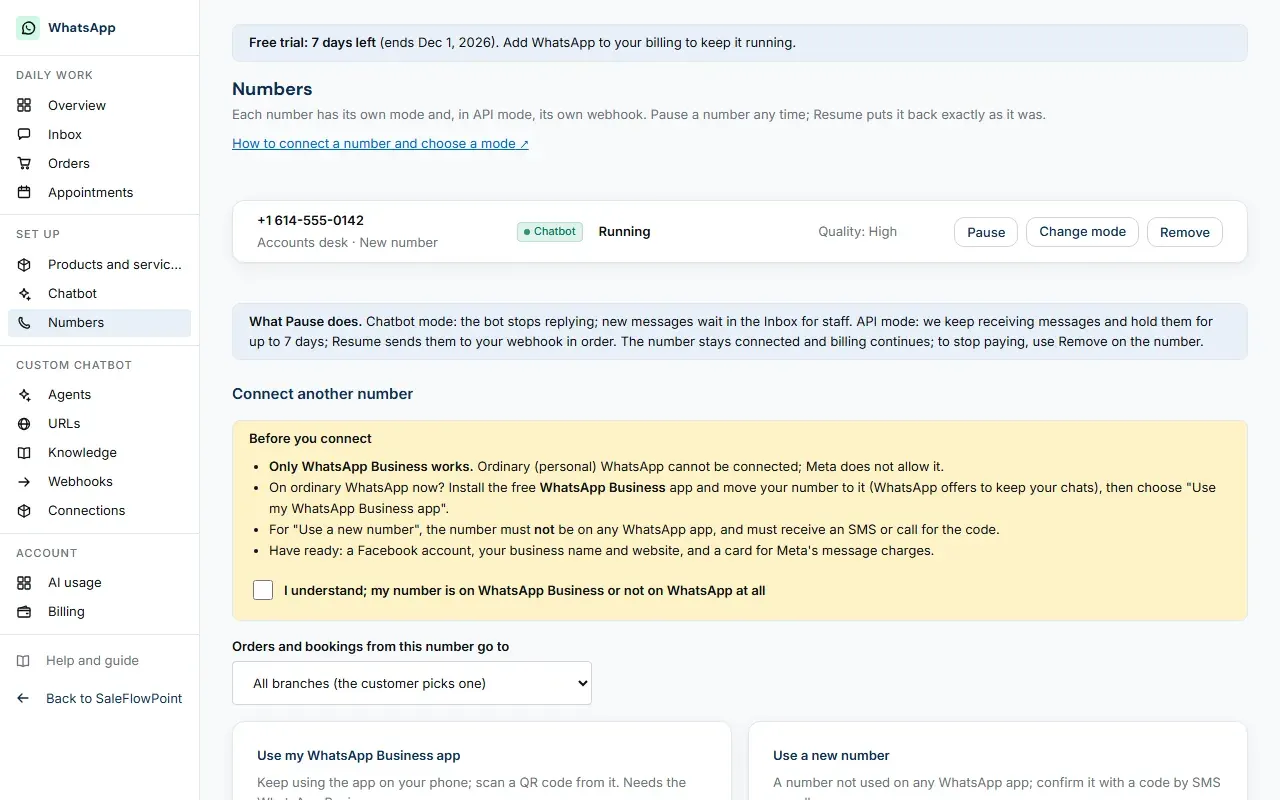
- WhatsApp, then Numbers. Tick that your number is on WhatsApp Business (or on no WhatsApp at all), then Connect with QR code (keep the WhatsApp Business app) or Connect a new number, and finish Meta's sign-up.
- The number then shows on Numbers (in our demo the invented +1 614-555-0142). Press Change mode on it.
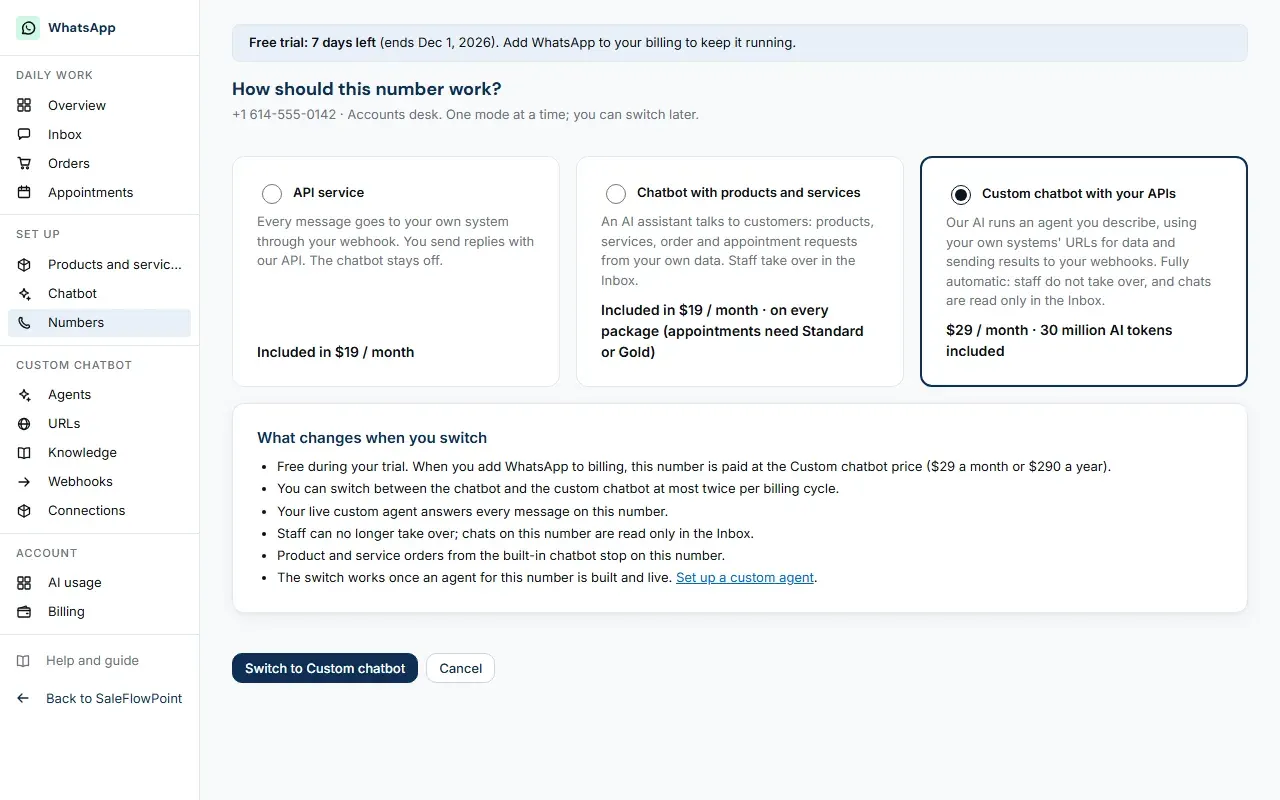
- On How should this number work?, choose Custom chatbot with your APIs (the other two are API service and Chatbot with products and services), read What changes when you switch, and press Switch to Custom chatbot.
- During the WhatsApp trial the custom chatbot costs nothing; after that the number is paid at the Custom chatbot price.
Step 8: go live
In the agent, choose that number under WhatsApp number and press Activate version. New chats use that version at once, and Pause stops every chat. Knowledge documents, contact memory and after-chat results then run on every real chat.