

Industries / Salon software
Salons and barbers
Salon software with online booking and a till
A phone that rings mid-cut, a diary on paper, and clients who forget their time. SaleFlowPoint gives your salon or barber shop an online booking page, a shared staff calendar, reminder emails and a till for services and the products on your shelf.
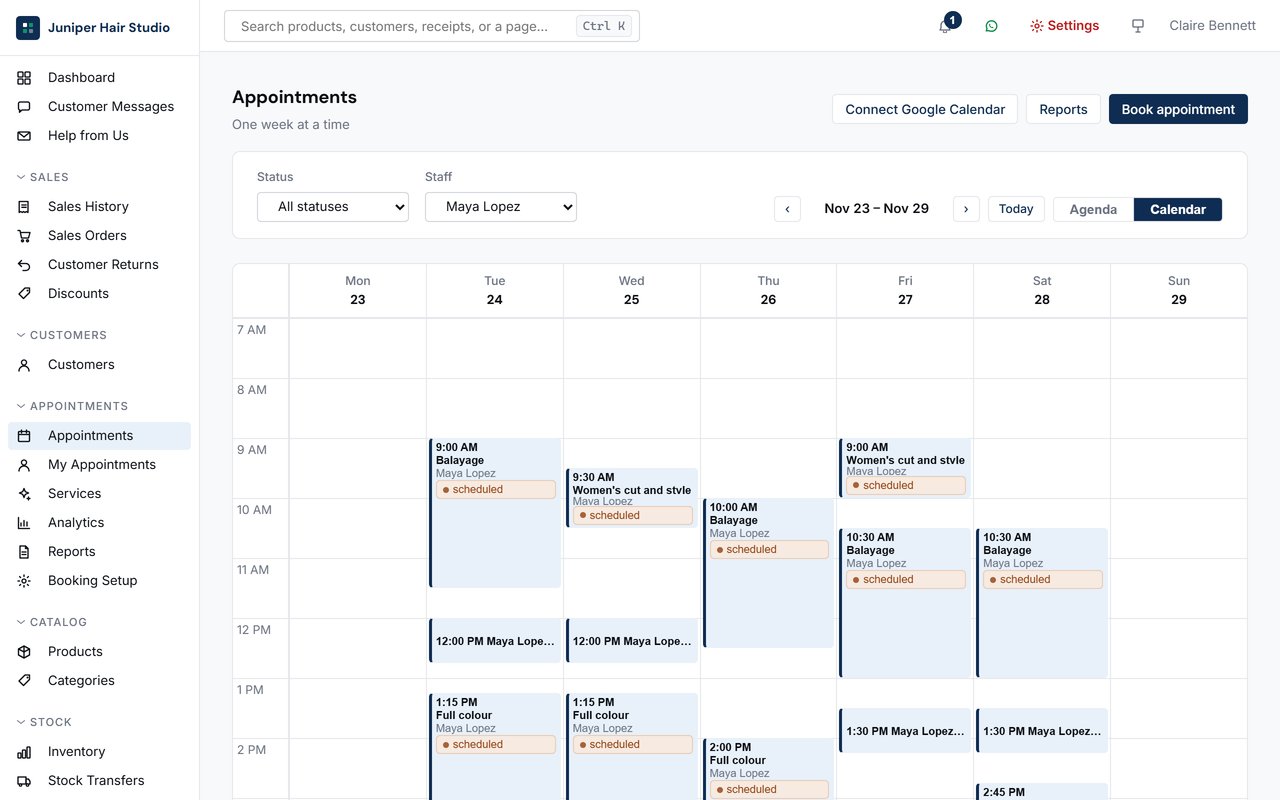
Bookings without the phone calls
Clients pick a service, a stylist or Any available, and a time that is really free. They enter a name and email; no account is needed. The email has a link to confirm, reschedule or cancel, so changes do not need a call.
- Each service has its own length and price.
- Each stylist sets the hours they work.
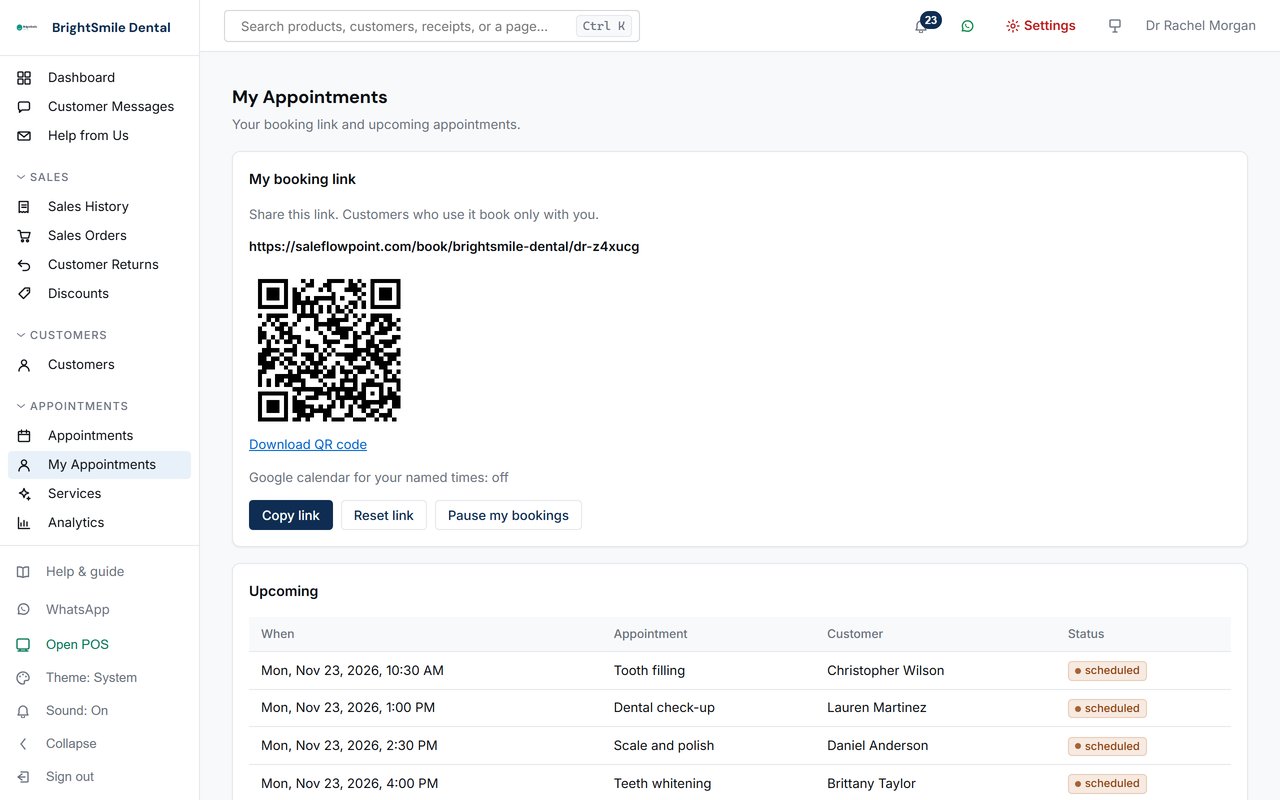
- Each staff member can have a personal booking link and QR code for their own clients.
- Reminder emails go out before the appointment (a Settings switch).
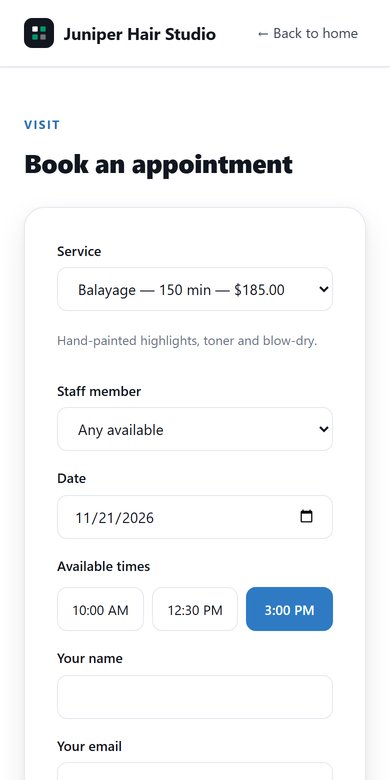
One calendar for the team
Staff see their day, mark appointments as completed or no-show, and the appointment report counts bookings, completions, cancellations and no-shows by staff member. More on the appointment scheduling page.
The till for services and products
Ring up the cut, the colour and the shampoo the client takes home on one bill, with split payments. Retail products come out of stock as they sell. Sales commission can be worked out as a percentage of the sales each person rang up, and paid as an expense.
A website clients can book from
Pick a salon look in the website builder, add your photos, hours and map, and the booking page is linked from it. Browse the salon website templates to see the designs.
WhatsApp, if you want it
The WhatsApp add-on can answer clients on your WhatsApp Business number using your real services, prices and free times, and pass booking requests to you to accept. It has its own price per number and a 7-day free trial: see WhatsApp.
See a salon set up, then plan your own
Two videos show the booking side working on an invented business, and the articles below help with the website clients see before they book:
- Salon appointments for a team (video): four stylists with their own hours, online booking, a phone booking, the week by stylist and Google Calendar.
- Appointment booking tutorial (video): staff booking links and QR codes, the diary, a no-show and the booking analytics.
- Salon website checklist: what clients look for before they press Book, and what to leave off.
- Barber shop website: prices, the barbers and a book button for a walk-in-friendly shop.
- Software for salons, clinics and studios: how bookings and till sales sit in one account for businesses that sell time.
- Website templates for salons, barbers and spas: compare the looks, then apply one in the editor; nothing is published until you choose.
- The WhatsApp guide: connecting your number and how the chatbot answers questions about services and free times.
Questions
Can I see how it works before signing up?
Yes. This video follows a salon with four stylists from working hours to the customer's reminder email, and the appointment scheduling page lists every booking setting.
Do clients pay when they book?
No. Booking online takes no payment or deposit. Clients pay at the till when they come in.
Are reminders sent by text message?
No, reminders are sent by email. On WhatsApp, the add-on answers clients who write to you.
Is online booking on the free plan?
Appointments are in the free trial and the paid plans. See pricing for what each plan includes.
Can it sync with Google Calendar?
Yes, a staff member can connect a Google Calendar.
Can each stylist have their own link?
Yes. Each staff member can have a personal booking link and QR code that books with them.
Related pages
Fewer calls, fewer gaps in the diary
Register your salon, add your services and share your booking link.