

Industries / Cafe POS
Cafes and restaurants
Cafe POS software for counter service
Coffee shops, bakeries, juice bars and takeaways need a till that a new hire can use on the first morning, and a cash-up that adds up at closing. SaleFlowPoint gives you a touch till, held orders, shift reports and a website for your menu.
To be clear before you start: there is no table plan, no kitchen screen and no recipe or ingredient stock, so it suits counter service best.
What a busy counter needs
Speed
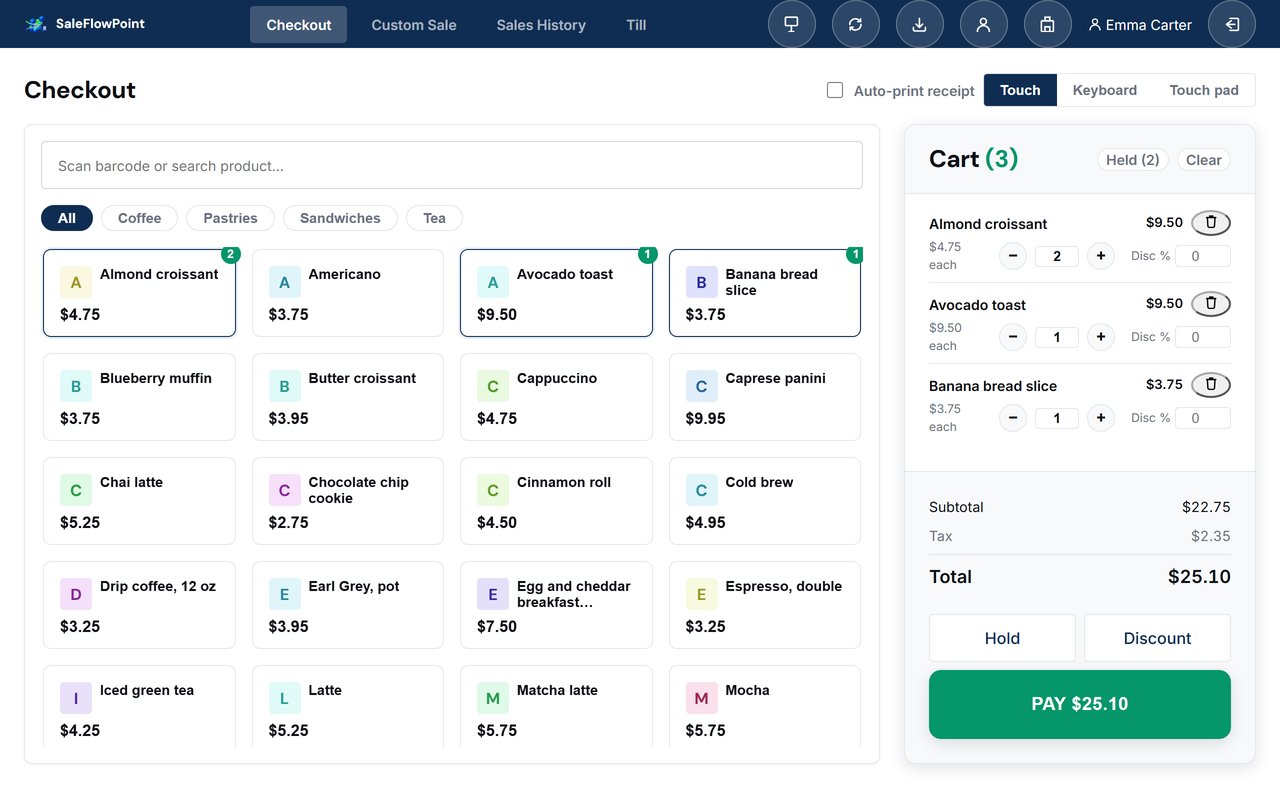
Touch mode shows big tiles with each product's price, so an order is a few taps.
Orders on hold
Hold an order while the customer decides, serve the next person, and pick it up again.
A clean cash-up
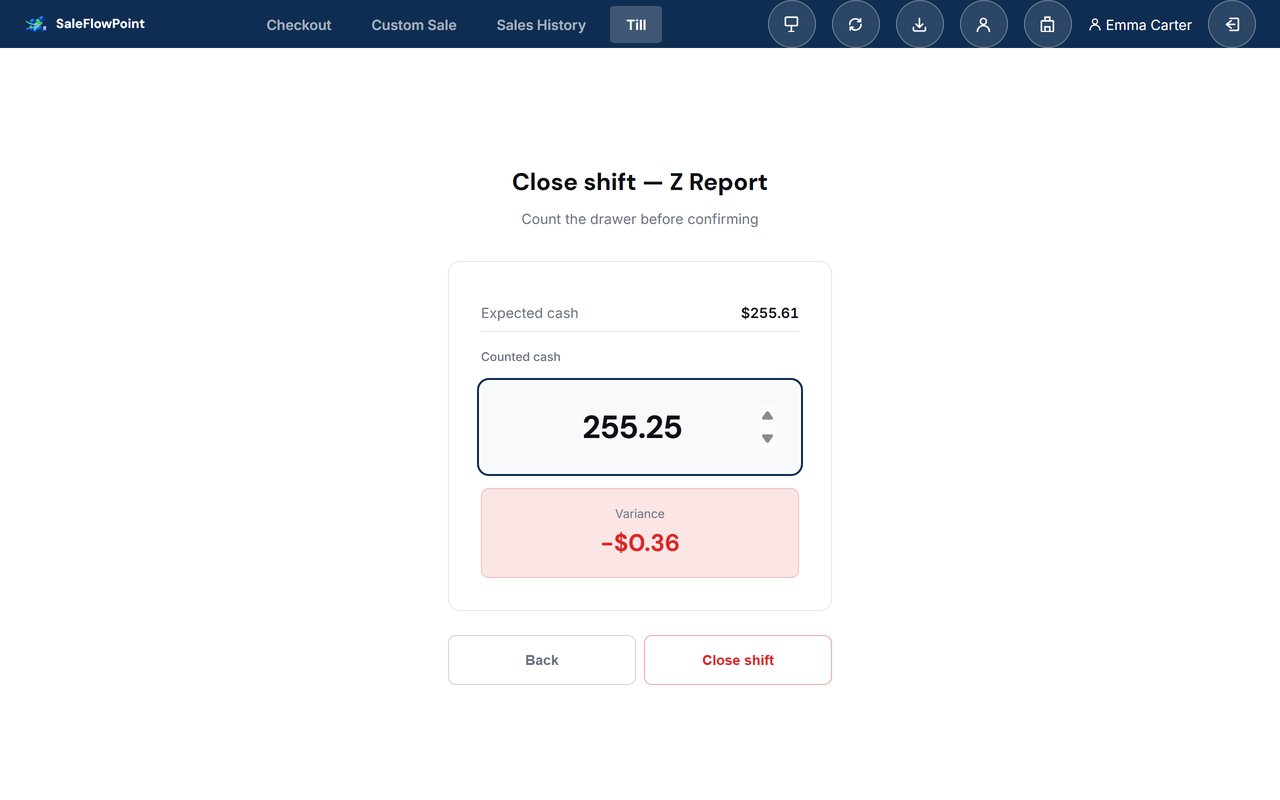
A float at the start, cash in and out during the day, and X and Z reports at the end.
No lost sales offline
Cash sales carry on when the internet drops and sync later.
The till
- Works on a tablet, touch screen or laptop in the browser; install it as an app on the till.
- Add a remark to a sale, such as a name for the order, and a service fee when you charge one.
- Split payments across cash and card.
- Product discounts with start and end days, such as a morning offer, apply by themselves.
- Shared tills switch cashier with a PIN, so each sale shows who rang it up.
Stock and suppliers
Stock is counted by the item you sell, such as bottled drinks, sandwiches or bags of coffee beans. Reorder points flag what is low, and purchase orders record what each supplier delivered and what you owe. Ingredients used inside a drink are not tracked.
Your menu online
Build a site with your hours, map and photos, and show your menu items with prices in the online catalogue. There is no online ordering or delivery; customers come in or contact you. See the cafe and restaurant website templates.
Reports after closing
See today's sales on the dashboard, sales by hour to plan staff, and top products. Each report exports to CSV or Excel. Plans and which reports each includes are on pricing.
More for cafes and bakeries
Cafes ask most about speed at the counter, what happens offline, and how to put a menu online without an ordering system. Each has its own page:
- POS for cafes and bakeries: a counter routine with tiles, held orders and the end-of-day cash-up.
- Free POS for a cafe: setting up a menu of tiles on the free plan for one counter.
- Does a free POS work offline?: what keeps working when the internet drops, and what waits for the connection.
- Your cafe menu online, without an ordering system: prices and opening hours on your website, with no checkout to run.
- Website templates for cafes, bakeries and restaurants: looks for coffee shops, bakeries, pubs and restaurants.
- The checkout screen (video): tap a product picture, change a quantity and take payment on one screen.
Questions
Can I use a tablet at the counter?
Yes. Touch mode shows large product tiles that suit a tablet or touch screen. See free touch screen POS for the set-up.
Does it have a table plan or kitchen display?
No. It suits counter service: order, pay and collect. Table-service restaurants that need a floor plan or a kitchen screen should look elsewhere.
Can I take card payments through it?
The till records how a sale was paid. Card payments are taken on your own card terminal; no card numbers are taken or stored.
What happens if the internet goes down?
The installed till keeps taking cash sales and syncs them when the connection returns.
Can customers order on the website?
No. Your website shows the menu with prices; there is no online checkout or delivery.
Is there a free plan?
Yes, one shop and one till with no time limit. See pricing.
Related pages
A till your new hire can use on day one
Register your cafe and set up your menu in an afternoon.