

Daily WhatsApp work: Overview, Inbox, Orders, AI usage and Billing
What staff do every day: the Overview tiles, the Inbox, Orders, AI usage and Billing.
Overview tiles
WhatsApp > Overview shows what is waiting and what happened today:
- Orders to review, Appointments to review and Chats waiting for a person (each says Nothing waiting when empty).
- Chats today, Answered by the bot, Orders from WhatsApp and Meta free replies left.
- Latest from WhatsApp: the newest chats, order requests and bookings, with Open Inbox.
Inbox
Search chats, filter them, and open one to read it. In chatbot mode use Take over chat and Hand back to bot; custom chatbot chats are read only. The right side shows the customer, their orders and appointments from the chat. See the chatbot page for the rules on the 24-hour window and STOP.
Orders
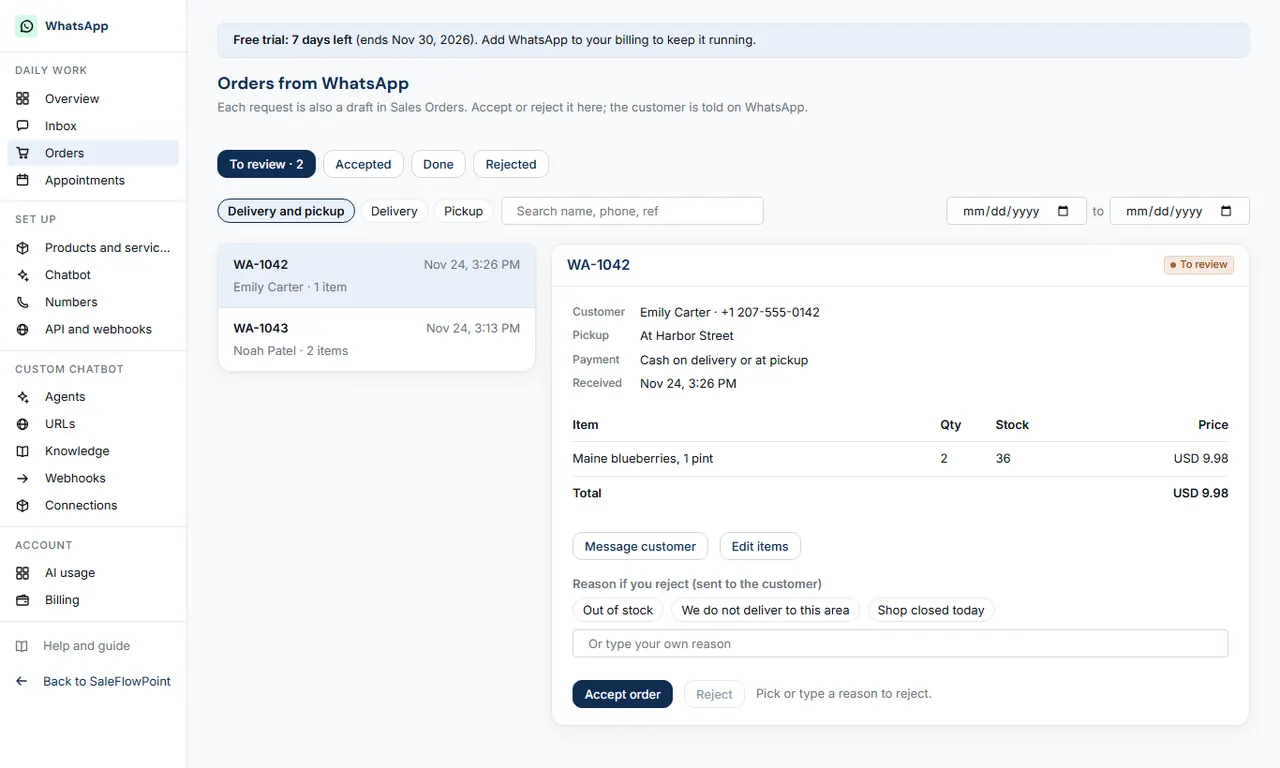
WhatsApp > Orders lists requests from the chatbot. Filter by status, type (delivery and pickup), number, or search a name, phone or reference. For each order:
- Accept: the customer is told on WhatsApp; the draft in Sales Orders goes ahead.
- Reject with a reason (for example "We do not deliver to this area" or "Shop closed today", or your own); the reason is sent to the customer.
- Change the lines: the draft sales order is cancelled and the customer gets the new total on WhatsApp to confirm with a yes.
- Mark Out for delivery or Ready for pickup, then the order moves to Done.
AI usage and the extra limit
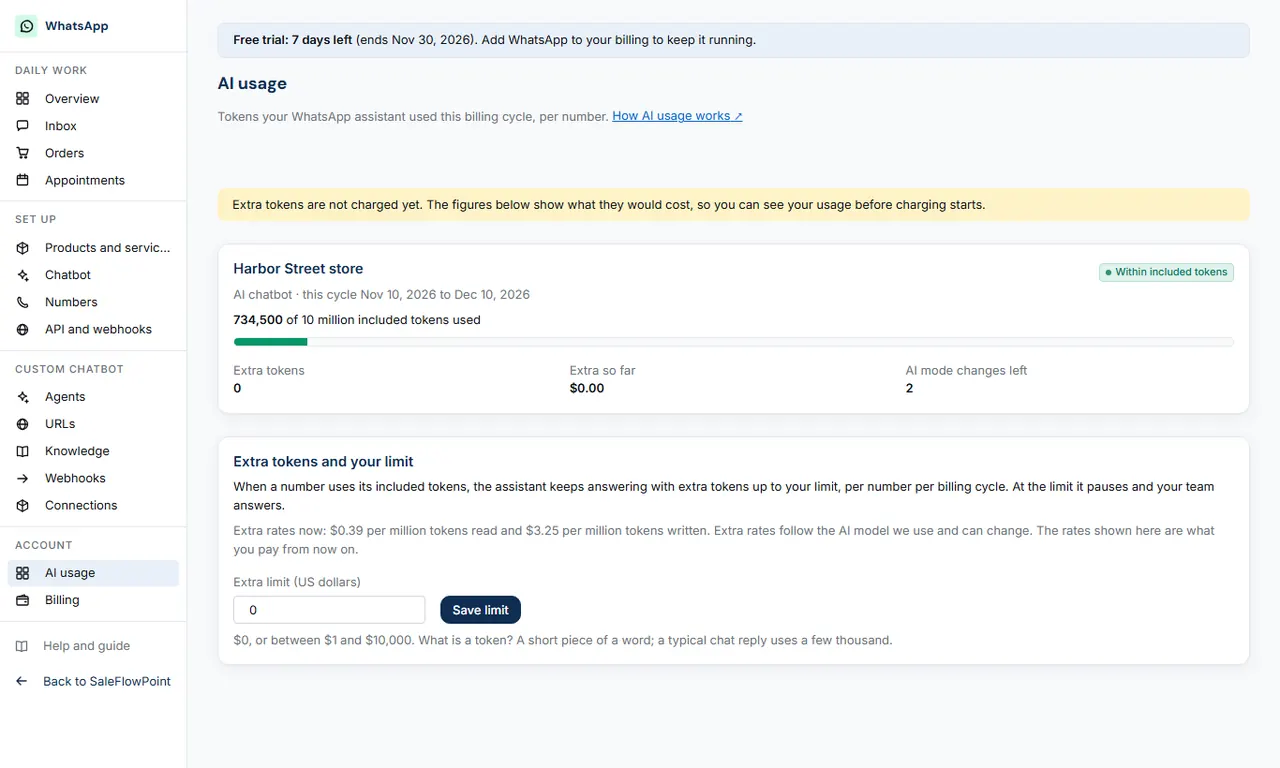
WhatsApp > AI usage (needs the billing permission) shows the tokens each number used this billing cycle, its included amount, and the AI mode changes left. Included each month: 10 million tokens with the chatbot, 30 million with the custom chatbot; API mode uses none.
Above the included amount, extra tokens cost the AI model's price plus 30%, with a $1 minimum charge. Set Extra limit (US dollars) per number per cycle. The default is $0: at the limit the chatbot stops and chats go to your staff in the Inbox; a custom chatbot pauses. Alerts are sent at 80% and 100%.
Today extra tokens are not charged yet. The page shows what they would cost, so you can see your usage before charging starts.
Billing
WhatsApp > Billing opens the company Billing page. Add WhatsApp there to keep it running after the trial: $19 a month or $199 a year per number for API and chatbot mode, $29 or $290 for the custom chatbot, on the card you use for your plan. If a payment fails, a banner shows it; if WhatsApp is unpaid it shows WhatsApp is paused: no payment.
Worked examples
- Answer Customers on WhatsApp with an AI Assistant: An AI assistant can answer WhatsApp with your real products, prices and free times, pass order and booking requests to staff, and hand chats over to a person.
Next: Questions · All WhatsApp guide pages
Try WhatsApp free for 7 days
Register your shop, connect a WhatsApp Business number and start the trial.